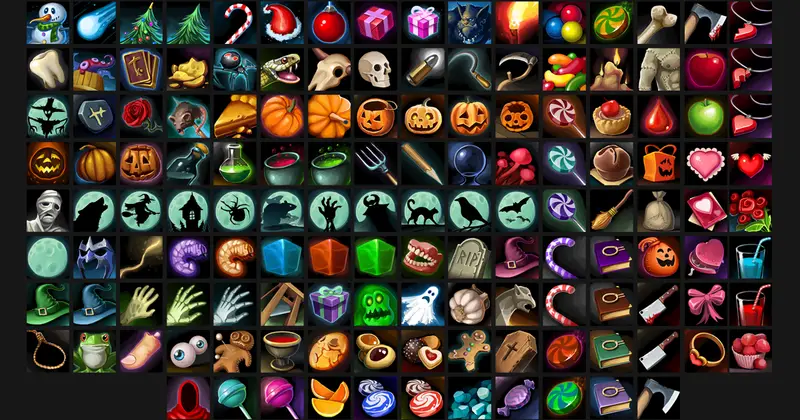
Character Avatar Icons
About Character Avatar Icons – Unity 2D & UI Pack
Character Avatar Icons Overview
Character Avatar Icons (version 1.01) is an optimized 2D GUI asset designed for managing character portraits within Unity's uGUI framework. When projects require extensive grids or lists of visual elements, unoptimized graphic management can lead to excessive draw calls and frequent canvas rebuilds. This asset provides a structured configuration workflow to maintain optimal UI batching and rendering performance.
Best Use Cases
The asset structure is designed to support user interfaces requiring dense portrait layouts, including:
- Matchmaking Lobbies: Display player slots cleanly across multi-user lobby frames.
- Tactical Party Frames: Render team rosters in turn-based games without introducing performance drops.
- Inventory Screens: Manage character selection grids and detailed avatar menus efficiently.
Key Features
- Sprite Atlas V2 Workflow: Groups framing elements and avatar graphics under identical material properties, leveraging standard UI/Default shaders for efficient batching.
- Targeted Compression Settings: Standardized around 2048x2048 power-of-two source textures, supporting BC7 compression for desktop and ASTC for mobile UI layout configurations.
- GPU Memory Control: Emphasizes disabled Read/Write import settings to prevent unnecessary GPU memory duplication across target platforms.
- Canvas Hierarchy Optimization: Guides proper transform and layout organization to minimize CPU overhead from canvas dirtying.
Setup & Integration
Integrating Character Avatar Icons involves applying recommended texture import configurations and layout management techniques. By pairing 2048x2048 power-of-two textures with disabled Read/Write flags, memory overhead remains minimized. Utilizing Unity's Sprite Atlas V2 system ensures framing assets and avatars share draw calls seamlessly.
Asset Details & Specifications
| Category | 2D / GUI |
|---|---|
| Latest Version | v1.01 |
| File Size | 10.27 MB |
| Added to Platform | February 5, 2026 |
| Views | 1 views |
| Downloads | 0 downloads |
| Favourites | 0 favourites |
| Issue with Package? | Report Broken Link → |