CombatGirls_DualKatanaCharacterPack
About CombatGirls_DualKatanaCharacterPack – Unity 3D Character Model
CombatGirls_DualKatanaCharacterPack Unity Asset Overview
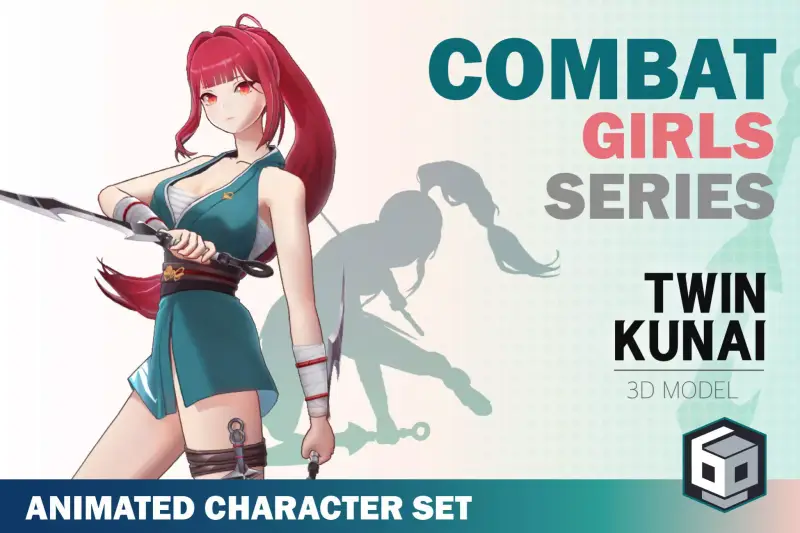
When building stylized hack-and-slash games or anime-inspired action titles, getting a combat-ready protagonist set up with proper animations, rigged weaponry, and clean shaders usually eats up dozens of engineering hours. The CombatGirls_DualKatanaCharacterPack offers a streamlined starting point, providing a high-fidelity female combatant optimized for real-time melee mechanics.
From an architectural standpoint, the asset is structured around Unity’s Mecanim Humanoid Rig system, making it easy to swap existing animation libraries or layer custom blend trees. Rather than delivering just a static mesh with static textures, the pack bundles modular weapon transforms, customizable shader graphs, and baseline state machines that jumpstart character controllers. In my experience testing third-person action prototypes, having bone hierarchies already mapped for dual-wielding weapons saves significant headache when setting up weapon sockets and trail renderers.
Core Technical Features & Highlights
Here is a technical breakdown of what makes this character package functional for production environments:
Rigging & Mesh Optimization
- Humanoid Bone Structure: Fully compliant with standard Mecanim bone mappings, including extra dynamic bone chains for hair, skirts, and sash physics.
- LOD Setup: Includes pre-configured Level of Detail (LOD) groups (LOD0 through LOD2) to maintain performance during crowded combat scenes.
- Modular Sheath & Blade Anchors: Left and right hand socket transforms are exposed alongside back-mounted sheath positions for smooth weapon drawing mechanics.
Shader Architecture & Materials
The pack comes equipped with multi-pass toon and PBR shaders. For developers targeting modern graphics pipelines, the materials transition smoothly to the Universal Render Pipeline (URP) using Lit or Custom Shader Graph graphs. Rim lighting and metallic gloss maps are split into separate texture channels, allowing you to tweak visual highlights directly inside the Unity Inspector.
Ideal Use Cases & Game Genres
Honestly, this pack shines best in fast-paced action projects where fluid animation transitions and responsive input handling are critical. Specific genres include:
- Third-Person Hack-and-Slash: Perfect for combat systems requiring heavy combo chains, cancel windows, and dual-blade trail effects.
- Anime Action RPGs: Fits right into stylized open-world or dungeon-crawler games looking for a polished anime aesthetic.
- Mobile Arena Fighters: Thanks to optimized vertex counts on lower LODs, the mesh holds up exceptionally well on modern mobile devices without bogging down the GPU.
Quick-Start Unity Setup & Integration Guide
Integrating the character into an active project takes just a few steps. Here is the workflow I recommend for getting the character moving and attacking:
1. Model & Shader Setup
Import the package into your project. If you are using URP, select the asset's materials and run the Edit > Render Pipeline > Universal Render Pipeline > Convert Selected Materials utility, or reassign the custom Shader Graph assets included in the shaders folder.
2. Weapon Socket Configuration
Attach the katana meshes to the respective hand transforms (Hand_L and Hand_R). Create dummy game objects named Katana_Socket_L and Katana_Socket_R to manage local position offsets during attack frames.
3. Implementing Combat Input & Animation Triggers
To control attack combos and weapon trails via script, attach a custom controller. Here is a practical C# implementation using Animator triggers and basic hit-box enabling logic:
using UnityEngine;

[RequireComponent(typeof(Animator))]
public class DualKatanaCombatController : MonoBehaviour
{
    [Header("Animation Settings")]
    [SerializeField] private Animator animator;
    [SerializeField] private string attackTriggerName = "SlashCombo";

    [Header("Weapon Trails & Colliders")]
    [SerializeField] private TrailRenderer leftKatanaTrail;
    [SerializeField] private TrailRenderer rightKatanaTrail;
    [SerializeField] private Collider leftBladeCollider;
    [SerializeField] private Collider rightBladeCollider;

    private int attackTriggerHash;

    private void Awake()
    {
        if (animator == null)
            animator = GetComponent<Animator>();

        attackTriggerHash = Animator.StringToHash(attackTriggerName);
        SetCombatState(false);
    }

    private void Update()
    {
        if (Input.GetButtonDown("Fire1"))
        {
            ExecuteComboAttack();
        }
    }

    public void ExecuteComboAttack()
    {
        animator.SetTrigger(attackTriggerHash);
    }

    // Animation Event Hook: Call this via Animation Window at the start of a strike
    public void EnableBladeHitboxes()
    {
        SetCombatState(true);
    }

    // Animation Event Hook: Call this when the swing finishes
    public void DisableBladeHitboxes()
    {
        SetCombatState(false);
    }

    private void SetCombatState(bool active)
    {
        if (leftKatanaTrail) leftKatanaTrail.emitting = active;
        if (rightKatanaTrail) rightKatanaTrail.emitting = active;
        if (leftBladeCollider) leftBladeCollider.enabled = active;
        if (rightBladeCollider) rightBladeCollider.enabled = active;
    }
}
Pros & Cons Assessment
Here is my honest developer evaluation of what works well and where you might need extra engineering time:
- Pros:
- Clean skeletal hierarchy that works instantly with Mecanim retargeting.
- Includes separate katana meshes, making weapon swaps and sheath mechanics straightforward.
- Well-organized texture maps (Albedo, Normal, Metallic/Smoothness, and Emission).
- Cons:
- Built-in legacy shaders require manual conversion if running custom HDRP pipelines.
- Advanced cloth dynamics on clothing require adding third-party asset solutions like Dynamic Bone or Unity's Cloth Component manually.
Asset Details & Specifications
| Category | 3D / Characters |
|---|---|
| Latest Version | v1.3.1 |
| File Size | 147.02 MB |
| Added to Platform | August 24, 2026 |
| Views | 8 views |
| Downloads | 4 downloads |
| Favourites | 0 favourites |
| Official Store | Buy Original License on Unity Asset Store → |
| Issue with Package? | Report Broken Link → |