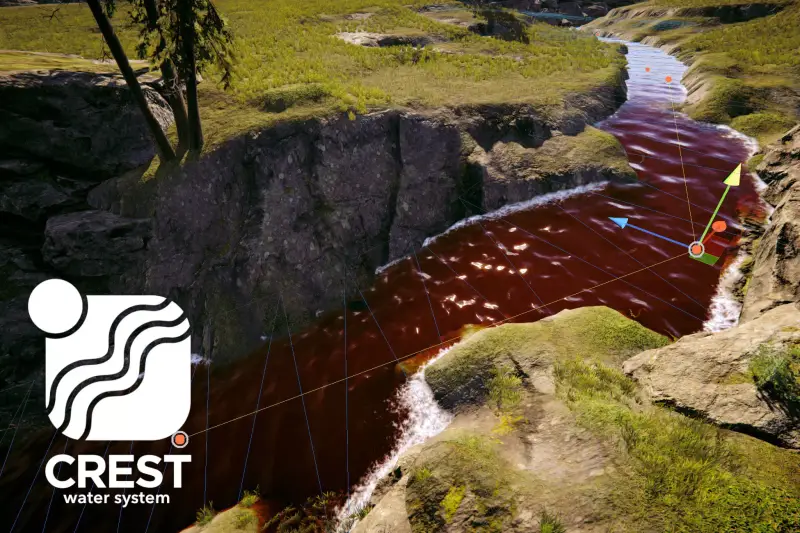
Crest Water 5 - Whirlpool
About Crest Water 5 - Whirlpool – Unity Editor Tool & Plugin
Crest Water 5 - Whirlpool Unity Asset Overview
Simulating complex fluid dynamics in real-time games is one of the hardest challenges in graphics programming. Standard flat plane ocean shaders break down immediately when you need dynamic depth variations, directional vortexes, or dramatic vertical displacement. The Crest Water 5 - Whirlpool asset addresses this exact problem by building directly on top of the established Crest Ocean System, allowing developers to inject localized, high-fidelity vortex simulations directly into Unity's GPU wave buffers.
Architecturally, Crest handles ocean rendering through a series of hierarchical LOD Pyramids (Level of Detail buffers) rendered via compute shaders or rasterized input renderers. The Whirlpool module acts as a specialized ocean input. Rather than simply distorting the mesh with a standard UV displacement filter, it manipulates three distinct simulation streams simultaneously:
- Displacement Buffer: Pulldown geometry created via mathematical depression profiles, forcing the ocean mesh to sink into a funnel shape.
- Flow Buffer: Injecting rotational velocity vectors around the center point, which drives foam generation, surface normal swirling, and visual drift.
- Foam Simulation Buffer: Automatically generating procedural foam along the turbulent lip and inner walls of the vortex based on surface strain and velocity.
In my experience building naval combat systems and dynamic environment mechanics, having these three elements tied together mathematically saves weeks of custom shader engineering. It ensures that physics sampling on the CPU matches what the GPU is displaying on screen.
Core Technical Features & Highlights
What sets this tool apart from generic mesh distortions is its native integration with high-end Scriptable Render Pipelines (URP and HDRP) and its physically driven approach to surface manipulation.
GPU-Driven Wave Inputs
The core whirlpool effect is generated through custom compute shaders that write into Crest's wave registers. You can control the funnel's radius, depression depth, swirl velocity, and falloff curve using exposed material parameters or runtime C# scripts. Because it operates within Crest's existing LOD stack, distant whirlpools scale down cleanly without causing temporal shimmering or geometric aliasing.
Synchronized Physics Buoyancy
A persistent bugbear with visual water effects is that physics objects usually ignore visual displacements. Because this asset feeds height corrections directly back into the continuous CPU height-query system (such as SampleHeightHelper), floating craft, debris, and swimming characters will naturally slide down the funnel walls, rotate along the tangential flow vectors, and get pulled beneath the water surface if the downward pull exceeds their buoyancy force.
- Full URP & HDRP Support: Compute shader implementations optimized for modern graphics APIs (DirectX 11/12, Vulkan, Metal).
- Dynamic Runtime Placement: Instantiates smoothly anywhere in the scene—ideal for dynamic spell effects, dynamic environmental traps, or moving boss attacks.
- Custom Surface Foam Masking: Allows custom foam textures to weave into the vortex stream without obvious tiling artifacts.
- Low Compute Overhead: Renders inside existing ocean passes rather than adding expensive full-screen post-processing passes.
Ideal Use Cases & Game Genres
Honestly, not every water-based game needs a whirlpool system, but for projects where water is a central gameplay mechanic rather than just background scenery, this asset shines.
- Naval & Pirate Action Games: Creating terrifying dynamic hazards, natural ocean anomalous zones, or dramatic sea-monster entry points where ships must actively steer against tangential forces.
- Action-Adventure & Zelda-likes: Water-temple puzzles, draining reservoirs, and magical portals hidden at the bottom of dynamic lakes.
- Fantasy Survival & Exploration: Unpredictable weather anomalies that pull player rafts off-course, requiring active paddling or sail management to escape.
- Arcade Boat Racing: High-speed track hazards where hitting a whirlpool disrupts steering vectors, forcing players to calculate optimal racing lines around swirling eddies.
Quick-Start Unity Setup & Integration Guide
Setting up the whirlpool requires an active Crest Ocean System instance in your scene. Once Crest is initialized, adding a whirlpool to your environment takes only a few minutes.
Step 1: Environment Setup
Ensure your project contains an active OceanRenderer component set up according to your pipeline (URP or HDRP). Make sure that Flow and Foam features are enabled on your primary Crest setup asset.
Step 2: Assigning the Whirlpool Prefab
Drag the whirlpool input prefab into your scene hierarchy. This object contains the required input scriptable render features and shape components (such as ShapeWhirlpool or custom input scripts that feed the RegisterAnimWavesInput system).
Step 3: Scripting Trapped Physics
While Crest handles standard surface floatation, you will often want custom physics behavior to pull ships into the center and drag them under. Below is a practical C# controller script I use to add realistic vortex pull to floating Rigidbody objects.
using UnityEngine;
using Crest;

/// <summary>
/// Applies physical forces pulling objects toward the whirlpool center and downwards.
/// Works in tandem with Crest's built-in ocean height queries.
/// </summary>
[RequireComponent(typeof(Rigidbody))]
public class WhirlpoolPhysicsModifier : MonoBehaviour
{
    [Header("Whirlpool Reference")]
    [SerializeField] private Transform _whirlpoolCenter;

    [Header("Force Configuration")]
    [SerializeField] private float _pullForce = 35f;
    [SerializeField] private float _tangentialForce = 20f;
    [SerializeField] private float _suctionForce = 15f;
    [SerializeField] private float _effectiveRadius = 50f;

    private Rigidbody _rb;

    private void Awake()
    {
        _rb = GetComponent<Rigidbody>();
    }

    private void FixedUpdate()
    {
        if (_whirlpoolCenter == null) return;

        Vector3 vectorToCenter = _whirlpoolCenter.position - transform.position;
        // Ignore vertical elevation difference for distance check
        Vector3 flatDistance = new Vector3(vectorToCenter.x, 0f, vectorToCenter.z);
        float distance = flatDistance.magnitude;

        if (distance > _effectiveRadius || distance < 0.01f) return;

        // Calculate normalized influence (1 at center, 0 at edge)
        float influence = 1f - Mathf.Clamp01(distance / _effectiveRadius);

        Vector3 pullDir = flatDistance.normalized;
        Vector3 swirlDir = Vector3.Cross(Vector3.up, pullDir);

        // Apply physical forces to the rigidbody
        _rb.AddForce(pullDir * (_pullForce * influence), ForceMode.Acceleration);
        _rb.AddForce(swirlDir * (_tangentialForce * influence), ForceMode.Acceleration);
        _rb.AddForce(Vector3.down * (_suctionForce * influence), ForceMode.Acceleration);
    }
}
Pros & Cons Assessment
- Pros:
- Visual Fidelity: Exceptional blending between surface displacement, normal mapping, and generated foam textures.
- CPU/GPU Parity: Physics calculations reflect ocean surface depressions cleanly via Crest’s sampling API.
- Pipeline Ready: Works out of the box with URP and HDRP graphics pipelines without breaking batching.
- Highly Modifiable: Exposes clean procedural properties for script-driven gameplay events.
- Cons:
- Strict Dependency: Requires an existing Crest Water system set up in your project; it cannot operate as a standalone water shader.
- Performance Considerations: Multiple active, overlapping whirlpools running simultaneously can push compute shader boundaries on low-end hardware.
- Configuration Overhead: Fine-tuning the balance between wave displacement height and physics buoyancy forces requires precise iteration.
Asset Details & Specifications
| Category | Tools / Particles & Effects |
|---|---|
| Latest Version | v1.0.3 |
| File Size | 501.25 KB |
| Added to Platform | June 8, 2026 |
| Views | 3 views |
| Downloads | 2 downloads |
| Favourites | 0 favourites |
| Official Store | Buy Original License on Unity Asset Store → |
| Issue with Package? | Report Broken Link → |