Enviro 3 - Sky and Weather
About Enviro 3 - Sky and Weather – Unity Editor Tool & Plugin
Enviro 3 - Sky and Weather Unity Asset Overview
In my experience building dynamic open worlds over the last eight years, managing skyboxes, volumetric weather systems, and time-of-day cycles usually devolves into a messy patchwork of custom shaders and disparate third-party plugins. Enviro 3 - Sky and Weather completely rethinking this architecture by framing skybox, lighting, atmosphere, and cloud rendering into a single unified execution pipeline.
At its core, Enviro 3 shifts away from legacy monolithic scene managers to a lightweight, scriptable profile-based framework. Built around a central EnviroManager component, the system delegates sky rendering, volumetric cloud raymarching, ambient fog, and weather transitions into discrete runtime modules. Whether you operate on Unity's Universal Render Pipeline (URP), High Definition Render Pipeline (HDRP), or the Built-In Render Pipeline, Enviro 3 injects its passes cleanly via custom Render Features or camera stack overrides, keeping draw calls and script execution orders under tight control.
Core Technical Features & Highlights
What sets Enviro 3 apart technical-wise is how efficiently it handles expensive atmospheric calculations without melting the GPU. Here is a breakdown of the core systems driving the engine under the hood:
- Profile-Driven Asset Workflows: All environmental parameters—such as ambient color curves, fog density, light intensity, and cloud noise textures—are stored inside
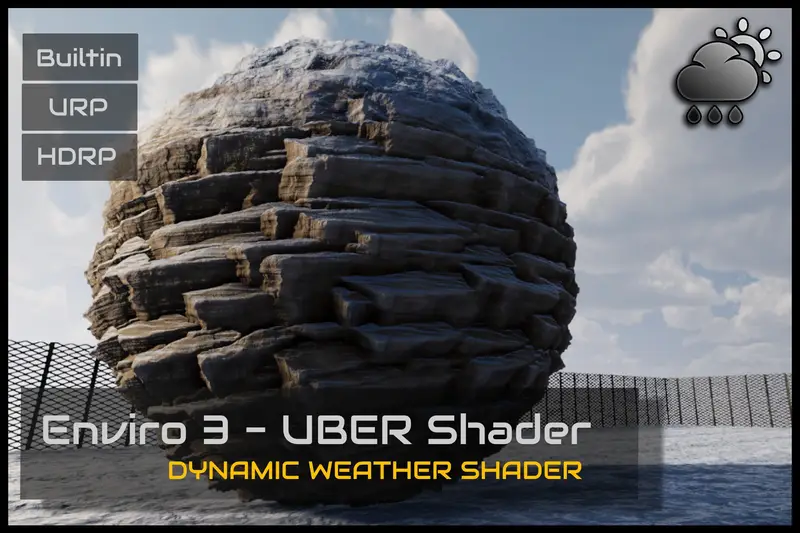
EnviroProfileScriptableObjects. This makes swapping environments at runtime instantaneous without triggering expensive scene re-loads. - Volumetric Clouds & Dynamic Lighting: Raymarched clouds utilize custom 3D noise textures combined with sub-surface light scattering calculations. Shadow casting uses screen-space dynamic projection to keep overhead low.
- Physically-Based Time-of-Day & Celestial Tracking: Calculates actual solar and lunar trajectories using realistic orbital math (latitude, longitude, UTC time offsets, and seasonal tilt), ensuring accurate shadow casting during dawn, twilight, and night cycles.
- Multi-Layer Weather Module: Controls local particle systems for precipitation, modifies surface wetness globals on materials, drives dynamic wind physics via standard Unity
WindZonebindings, and generates dynamic lightning strikes with localized audio playback. - Integrated Post-Processing & Fog Passes: Replaces standard linear/exponential fog with physically accurate rayleigh and mie scattering fog that blends directly with distant skyboxes and volumetric light shafts.
Ideal Use Cases & Game Genres
Honestly, choosing the right environmental tool depends heavily on your game's scope and performance targets. Here is where Enviro 3 delivers the maximum return on technical investment:
1. Open-World RPGs & Survival Games
If your project relies heavily on survival mechanics tied to temperature, time, or biome transitions, Enviro 3 shines. The system exposes deep C# API events for solar angles, precipitation density, and dynamic puddle accumulation that you can easily bind to gameplay mechanics.
2. Dynamic Racing & Flight Simulators
The transition from dry asphalt to rain-soaked pavement happens automatically through global shader keywords. Vehicles moving through changing weather benefit from smooth atmospheric lighting changes, lens wetness post-processing, and dynamic wind vectors affecting aerodynamics.
3. Atmospheric FPS & Tactical Shooters
Volumetric height fog and realistic god rays drastically impact line-of-sight and player visibility. Combat scenarios gain tactical depth when weather events smoothly roll over an arena, dampening sound cues and obstructing long-range sniper views.
Quick-Start Unity Setup & Integration Guide
Integrating Enviro 3 into an active pipeline takes less than ten minutes if you follow a clean initialization path. Here is how I set up new project scenes for high performance:
Step 1: Scene Initialization
Navigate to GameObject -> Enviro -> Create Enviro Manager. This places the core EnviroManager system into your scene hierarchy. Ensure your primary main camera has the EnviroCamera component attached; this handles depth buffer sampling and post-processing injections.
Step 2: Profile Assignment
Select the EnviroManager instance in your Hierarchy, open the Inspector, and assign an existing global profile preset (e.g., Enviro3_Default_Profile). This populates all sub-modules: Sky, Clouds, Fog, Lighting, Audio, and Environment.
Step 3: Programmatic Weather & Time Scripting
To control weather transitions or read time data from your game logic, write a custom manager script interacting directly with the central API. Here is an optimized setup for smooth weather transitions triggered via code:
using UnityEngine;
using Enviro;

public class EnviroSystemController : MonoBehaviour
{
    [Header("Time Settings")]
    [SerializeField] private float timeMultiplier = 60f; // 1 real sec = 1 in-game minute

    [Header("Weather Presets")]
    [SerializeField] private EnviroWeatherTypeAsset clearSkyPreset;
    [SerializeField] private EnviroWeatherTypeAsset stormyPreset;

    private void Start()
    {
        if (EnviroManager.instance == null)
        {
            Debug.LogError("[Enviro] EnviroManager not present in scene!");
            return;
        }

        // Configure dynamic time execution
        EnviroManager.instance.Time.Settings.timeProgress = EnviroTime.TimeProgressMode.Simulated;
        EnviroManager.instance.Time.Settings.dayLengthInMinutes = 24f; // 24 minute full cycle
    }

    public void TriggerStormyWeather()
    {
        if (EnviroManager.instance != null && stormyPreset != null)
        {
            // Smoothly interpolate to storm preset over 10 seconds
            EnviroManager.instance.Weather.ChangeWeather(stormyPreset);
            Debug.Log("[Enviro System] Transitioning scene weather to Stormy.");
        }
    }

    public void ResetToClearSky()
    {
        if (EnviroManager.instance != null && clearSkyPreset != null)
        {
            EnviroManager.instance.Weather.ChangeWeather(clearSkyPreset);
            Debug.Log("[Enviro System] Transitioning scene weather to Clear.");
        }
    }
}
Pros & Cons Assessment
- Pros:
- Extremely clean execution architecture; ScriptableObject profiles prevent scene file bloating and git merge conflicts.
- First-class cross-pipeline support covering URP, HDRP, and Built-In without duplicating workflow setups.
- Deep volumetric cloud controls allow complete balancing between ultra-high visual fidelity and strict framerate budgets.
- Robust exposed API events for seamlessly hooking weather into player gameplay systems.
- Cons:
- Initial setup learning curve can feel steep due to the vast array of sub-module parameters available.
- Volumetric cloud raymarching requires careful downsampling on low-end mobile devices and standalone VR headsets to maintain fast frame times.
Asset Details & Specifications
| Category | Tools / Particles & Effects |
|---|---|
| Latest Version | v3.3.2b (2 tracked releases) |
| File Size | 230.49 MB |
| Added to Platform | February 13, 2026 |
| Views | 10 views |
| Downloads | 2 downloads |
| Favourites | 0 favourites |
| Official Store | Buy Original License on Unity Asset Store → |
| Issue with Package? | Report Broken Link → |