POLYGON - Goblin War Camp Pack - Art by Synty
About POLYGON - Goblin War Camp Pack - Art by Synty – Unity 3D Environment
POLYGON - Goblin War Camp Pack - Art by Synty Unity Asset Overview
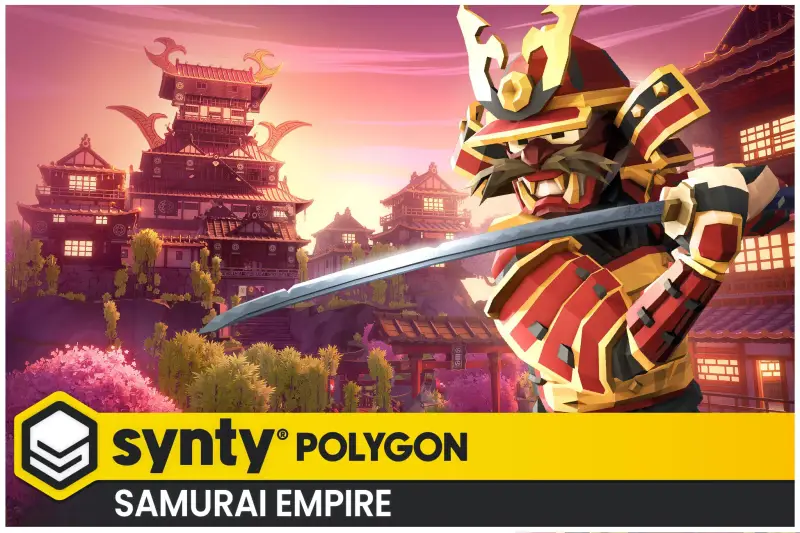
Hey everyone, Dev Sharma here. Over my 8+ years building commercial titles in Unity, I’ve learned to appreciate art pipeline consistency more than anything else. When you are rushing to prototype a vertical slice, hunting down mismatched asset styles wastes precious production time. That is exactly where Synty Studios' POLYGON - Goblin War Camp Pack shines. In my experience, building an immersive fantasy environment from scratch takes weeks of blocking out, texturing, and LOD generation. This asset provides a modular, cohesive environment kit designed natively for the Unity engine.
From an architectural standpoint, the pack relies heavily on a unified low-poly workflow. Every prop, terrain piece, and character utilizes a shared texture atlas approach combined with custom vertex coloring. This design choice fundamentally changes how your batching behaves at runtime. Instead of juggling dozens of distinct materials, your graphics pipeline processes a minimal number of material instances, drastically lowering draw calls right out of the box.
Core Technical Features & Highlights
Let's talk under-the-hood technical specs. When evaluating an environment asset, I always look at material instancing, shader compatibility, and animation rig setups. Synty has packaged this kit with a strong focus on modern rendering pipelines.
Shaders and Render Pipeline Adaptability
The pack comes optimized for the Universal Render Pipeline (URP) and High Definition Render Pipeline (HDRP) via standard upgrade packages, alongside legacy Built-in pipeline support. The custom shaders leverage vertex color data efficiently, allowing for quick color tinting via property blocks without breaking static batching.
Performance Benchmarks & Optimization
- Texture Atlasing: Uses a mega-texture approach, meaning fewer texture swaps on the GPU.
- Polycount: Clean, optimized topology suitable for both high-end desktop builds and performance-constrained platforms.
- Mesh Combination: Props are modularly built, allowing your technical artists to easily combine static geometry using
StaticBatchingUtilityor custom tools. - Rigging & Animation: Characters utilize standard human-like humanoid rigs, making it painless to swap animations from other Mecanim-compatible sources.
Ideal Use Cases & Game Genres
Honestly, not every low-poly asset fits every game, but this particular pack hits a sweet spot for specific genres. Because of its modular nature and distinct aesthetic, here is where I've seen it perform best in production environments:
- Action RPGs: Perfect for populating early-game goblin raid zones, forest outposts, and underground cave entries.
- Tower Defense: The modular barricades, tents, and war machines make setting up enemy spawn paths straightforward.
- Survival & Crafting: You can easily extract individual props like wood logs, crude weapons, and campfires for player inventory icons and gathering mechanics.
- Top-Down Hack and Slash: The visual clarity of low-poly art ensures player characters and enemies never get lost against complex background clutter.
Quick-Start Unity Setup & Integration Guide
If you want to drop this asset into your project cleanly without bloating your build size, follow this tested workflow. Here is how I configure a fresh project integration:
First, ensure your project is using your target render pipeline (preferably URP) before importing the asset package. If prompted by the material upgrader script, let Unity automatically convert the materials to your active pipeline.
Next, organize your project directory structure. I recommend keeping the Synty folder isolated to avoid polluting your core gameplay scripts:
// Example custom manager to spawn goblin units dynamically from the asset prefabs
using UnityEngine;

public class GoblinCampSpawner : MonoBehaviour
{
    [SerializeField] private GameObject goblinPrefab;
    [SerializeField] private Transform[] spawnPoints;

    public void SpawnWarParty()
    {
        foreach (Transform spawnPoint in spawnPoints)
        {
            // Instantiate the character prefab with correct rotation
            Instantiate(goblinPrefab, spawnPoint.position, spawnPoint.rotation);
        }
    }
}
Attach the script above to an empty GameObject in your scene, assign your character prefabs from the asset folder, and call SpawnWarParty() inside your Start() or game state listener method to populate the camp instantly.
Pros & Cons Assessment
Every tool has its trade-offs. Here is my honest developer evaluation after testing this environment pack in a live test scene:
- Pro: Incredible Art Consistency: Matches seamlessly with other packs in the POLYGON ecosystem, allowing you to expand your world effortlessly.
- Pro: Optimization Friendly: Low polygon density and shared materials keep frame rates high on mobile and VR devices.
- Pro: Rich Prop Variety: Includes everything from large siege towers to small camp debris, reducing the need for placeholder art.
- Con: Stylized Limitation: The distinct low-poly look makes it unusable for realistic, photorealistic AAA projects.
- Con: Custom Animation Needs: While characters are rigged, you will need external animation libraries (like Mixamo or custom clips) for advanced combat behaviors.
Asset Details & Specifications
| Category | 3D / Environments |
|---|---|
| Latest Version | v1.0.2 |
| File Size | 114.56 MB |
| Added to Platform | July 3, 2026 |
| Views | 11 views |
| Downloads | 4 downloads |
| Favourites | 0 favourites |
| Official Store | Buy Original License on Unity Asset Store → |
| Issue with Package? | Report Broken Link → |