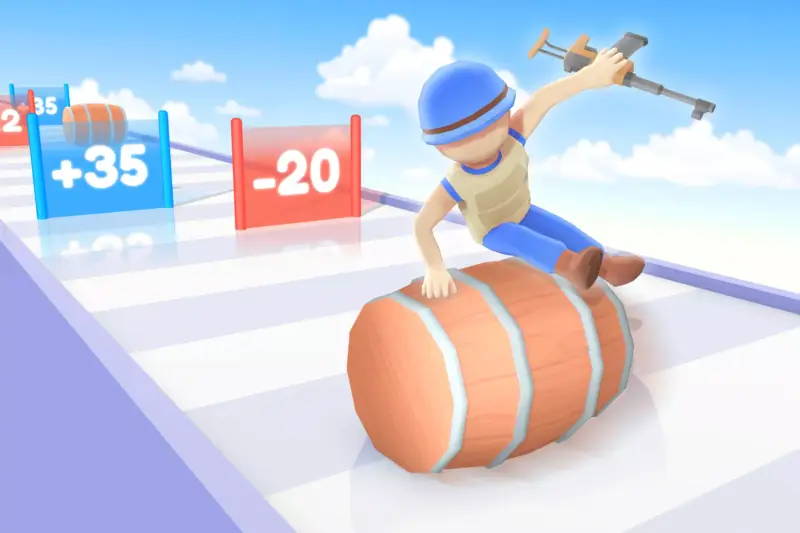
Seat Sorting | Game Template
About Seat Sorting | Game Template – Unity Asset Pack
Seat Sorting | Game Template Unity Asset Overview
Sorting puzzles have dominated the mobile gaming charts recently, driven by titles featuring bus boarding, cinema seat management, and crowd sorting mechanics. The Seat Sorting | Game Template provides a clean, production-ready foundation designed to save you weeks of core loop iteration. Having integrated dozens of hyper-casual templates over the years, I appreciate when an architecture avoids over-engineering in favor of clean, extendable C# patterns.
At its core, the template relies on a centralized grid management system coupled with state-machine-driven character agents. The architecture separates spatial grid data from character movement logic, allowing you to reconfigure level layouts without breaking pathfinding triggers. GridManager components handle seat availability matrix calculations, while lightweight character controllers execute path steps using a simplified node-based navigation queue or Unity’s NavMesh Agent system depending on your target mobile specs.
Core Technical Features & Highlights
Grid Pathfinding & Seat Reservation System
Rather than relying on heavy physics raycasting per frame, the framework uses a pre-calculated 2D array representation of the environment. When a player taps a character or a color-coded zone, the system queries the SeatGridController to validate path availability before moving the agent. This keeps CPU cycles low, which is crucial for maintaining 60 FPS on lower-tier mobile hardware.
Object Pooling & Dynamic Spawning
To avoid GC allocations during high-frequency character movement and seat filling, the template includes a built-in ObjectPooler. Characters of matching color indices are retrieved from memory rather than instantiated on the fly, keeping frame times consistent during complex chain-reaction animations.
- State-Driven Character Controllers: Built using clean C# enums (
Idle,Moving,Seated,Blocked) for predictable behavioral transitions. - Event-Driven UI Bindings: UI elements subscribe directly to C#
System.Actionevents, reducing tight coupling between game logic and Canvas views. - Lightweight Shader Graph Support: Standard materials are pre-configured for the Universal Render Pipeline (URP) with minimal draw calls.
- Flexible Level Configuration: Scriptable Object support for level data allows designers to craft levels without touching code.
Ideal Use Cases & Game Genres
While designed primarily for color-matching seat puzzles, the modular design makes it easy to repurpose for several popular game types:
- Hyper-Casual Sorting Games: Direct implementation of passenger-to-bus or spectator-to-seat sorting puzzles.
- Time-Management Restaurant Simulators: Adapt seat nodes into dining tables where customer agents request specific seating arrangements.
- Traffic & Logistics Puzzles: Swap character models for vehicles, turning seat slots into parking spaces or loading bays.
- Logic Puzzle Prototypes: A solid base for indie teams looking to pitch grid-based mechanics to publishers within days rather than months.
Quick-Start Unity Setup & Integration Guide
Setting up the template in a fresh project takes less than ten minutes if you follow this sequence:
1. Project Configuration & Dependencies
Ensure your project is set to use the Universal Render Pipeline (URP). Open your Package Manager and verify that TextMesh Pro and the Input System (or Legacy Input Manager depending on your project setting) are active.
2. Environment & Grid Setup
Drag the SeatGrid_Prefab into your scene. In the Inspector, set your desired grid dimensions (e.g., 5 rows by 4 columns) on the GridManager component. Mark un-walkable grid points by toggling the IsBlocked flag on individual cell nodes.
3. Listening to Game Events via C#
Here is how you can tap into the sorting manager's event pipeline to trigger custom audio or particle effects when a character reaches their assigned seat:
using UnityEngine;

public class CustomSeatEventListener : MonoBehaviour
{
    [SerializeField] private ParticleSystem matchParticleEffect;

    private void OnEnable()
    {
        // Subscribe to seat assignment events
        SeatSortingManager.OnCharacterSeated += HandleCharacterSeated;
    }

    private void OnDisable()
    {
        // Unsubscribe to prevent memory leaks
        SeatSortingManager.OnCharacterSeated -= HandleCharacterSeated;
    }

    private void HandleCharacterSeated(Vector3 seatPosition, int colorIndex)
    {
        // Play localized particle feedback on successful seat match
        if (matchParticleEffect != null)
        {
            matchParticleEffect.transform.position = seatPosition;
            matchParticleEffect.Play();
        }

        Debug.Log($"Character matching color {colorIndex} successfully seated.");
    }
}
Pros & Cons Assessment
- Pro: Clean Code Architecture: C# scripts are well-commented, modular, and refrain from using monolithic manager classes.
- Pro: Mobile Optimized: Zero per-frame GC allocations during active sorting phases, keeping memory usage stable on mobile devices.
- Pro: Fast Iteration: Scriptable Object levels allow rapid balancing of seat colors, character queues, and grid obstacles.
- Con: Primitive Visual Assets: The default assets act as grey-box stand-ins; you will need custom 3D character models and UI skins for commercial polished games.
- Con: Basic Pathfinding: The default grid pathfinding works fine for flat 2D/3D grids, but multi-floor elevation changes require custom extensions to the path logic.
Asset Details & Specifications
| Category | Templates / Packs |
|---|---|
| Latest Version | v1.0 |
| File Size | 16.84 MB |
| Added to Platform | April 29, 2026 |
| Views | 12 views |
| Downloads | 2 downloads |
| Favourites | 1 favourites |
| Official Store | Buy Original License on Unity Asset Store → |
| Issue with Package? | Report Broken Link → |