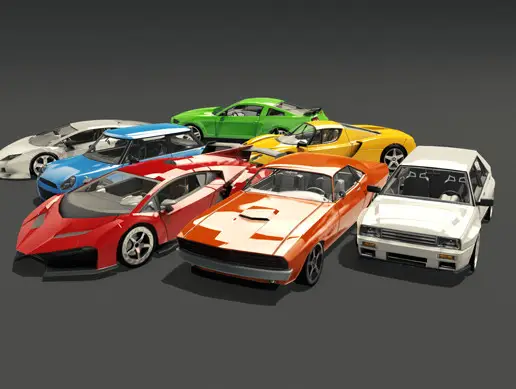
Drag Racing Track - Classical City
About Drag Racing Track - Classical City – Unity 3D Environment
Drag Racing Track - Classical City Unity Asset Overview
In my experience building racing titles in Unity over the last 8 years, modular environment art often hits a wall when it comes to long, high-speed linear layouts. Traditional city packs give you square grids full of heavy corner geometries and draw-call spikes that kill performance when a vehicle is moving at 200 mph. The Drag Racing Track - Classical City asset addresses this specific bottleneck by offering an optimized, linear urban straightaway wrapped in classical European-style architecture.
Architecturally, this asset balances high-fidelity exterior visuals with aggressive polygon budgeting. Instead of relying on full 3D interiors or heavy mesh splits, background buildings use optimized LOD chains and shared atlas textures. The track strip itself is broken into modular straight segments, complete with finish line rigs, grandstands, crowd barriers, and street lighting. Whether you are running the Built-in Render Pipeline or converting materials over to URP (Universal Render Pipeline), the asset structures its prefabs clean and unnested, making custom layout tweaks straightforward.
Core Technical Features & Highlights
From a technical perspective, what stands out most is how well the geometry is tailored for linear occlusion culling. Here is the key takeaway: because drag racing relies on a strictly defined camera corridor, this pack trims away unseen geometry behind building facades to keep batch counts under control.
Key Technical Specifications
- Geometry & Polycounts: Building modules average between 1,500 to 4,500 triangles, while detailed track props (barriers, light poles, start gantries) sit comfortably around 300 to 1,200 triangles.
- Texture Atlasing & Materials: Utilizes combined PBR texture maps (Albedo, Normal, Metallic/Smoothness, Ambient Occlusion) capped at 2048x2048 or 4096x4096 for major structural blocks, drastically reducing material switches.
- Pre-configured LODs: Most structural environment prefabs feature 2 to 3 LOD levels, dropping distant architectural detail cleanly before hitting the camera clip plane.
- VFX & Surface Shaders: Includes custom track shader setup for rubber burnout marks, wet asphalt reflections, and volumetric light cones for nighttime streetlights.
Lighting and Occlusion Culling Performance
Honestly, baking lightmaps for long linear tracks can turn into a memory nightmare if your lightmap UVs aren't properly flattened. This pack features hand-unwrapped secondary UV channels across all major structures. When configured with Progressive GPU Lightmapper in Unity, lightmap baking completes rapidly without visual seams or light bleeding across neighboring building tiles.
Ideal Use Cases & Game Genres
While designed explicitly for straight-line racing, the modular nature of the classical architecture allows for flexible scene assembly across several project types:
- Mobile & Arcade Drag Racers: Perfectly tuned for gear-shift mechanics, quarter-mile sprints, and 1v1 speed duels where high frame rates are critical.
- Automotive Showcases & Showrooms: The ornate classical architecture makes an excellent backdrop for vehicle customization menus or ray-traced lighting tests in HDRP.
- Time-Attack & Speed Trap Minigames: Works well as an enclosed street-racing corridor within a larger urban level framework.
- Cinematic Cutscenes & Trailers: High-resolution texture channels hold up under close-up tracking shot cameras.
Quick-Start Unity Setup & Integration Guide
Getting this environment running in your project takes only a few minutes. Follow these practical steps to assemble and optimize your racing corridor:
Step 1: Prefab Assembly & Grid Snapping
Open your scene and set grid snapping to 10 units or 20 units depending on the road tile length. Drag the primary Track_Base_Straight prefabs into the hierarchy. Lock your Transform values to whole integers to prevent micro-gaps between asphalt tiles.
Step 2: Occlusion Culling Bake
Because the camera moves rapidly down the Z-axis, set your environment objects to Occluder Static and Occludee Static. Open Window > Rendering > Occlusion Culling, adjust the Smallest Hole parameter to 0.5, and click Bake. This ensures distant urban buildings outside the player's immediate field of view are instantly culled.
Step 3: Implementing a Race Trigger Listener
To detect when a vehicle crosses the start or finish line in this environment, attach the following C# script to a BoxCollider trigger volume placed at the finish gantry object:
using UnityEngine;
using UnityEngine.Events;

[RequireComponent(typeof(BoxCollider))]
public class DragTrackFinishTrigger : MonoBehaviour
{
    [SerializeField] private string playerTag = "Player";
    [SerializeField] private UnityEvent<float> onRaceCompleted;

    private float startTime;
    private bool raceInProgress;

    public void StartTiming()
    {
        startTime = Time.time;
        raceInProgress = true;
    }

    private void OnTriggerEnter(Collider other)
    {
        if (!raceInProgress || !other.CompareTag(playerTag)) return;

        float totalTime = Time.time - startTime;
        raceInProgress = false;

        onRaceCompleted?.Invoke(totalTime);
        Debug.Log($"[Drag Track System] Finish Line Crossed! Time: {totalTime:F2} seconds.");
    }
}
Pros & Cons Assessment
- Pros:
- Extremely low draw-call impact due to aggressive texture atlasing and clean submesh structures.
- High-quality classical architecture provides a distinctive aesthetic distinct from standard modern asphalt city tracks.
- Pre-configured road prefabs make quarter-mile and half-mile track construction virtually instant.
- Clean secondary UVs prevent artifacting during lightmap bakes.
- Cons:
- Designed primarily for linear straightaways; building curved open-world tracks requires custom mesh bending or kitbashing extra corner pieces.
- Built-in materials require manual conversion using the Render Pipeline Converter tool when migrating directly to URP or HDRP.
Asset Details & Specifications
| Category | 3D / Environments |
|---|---|
| Latest Version | v1.0 |
| File Size | 208.80 MB |
| Added to Platform | February 11, 2026 |
| Views | 10 views |
| Downloads | 2 downloads |
| Favourites | 0 favourites |
| Issue with Package? | Report Broken Link → |