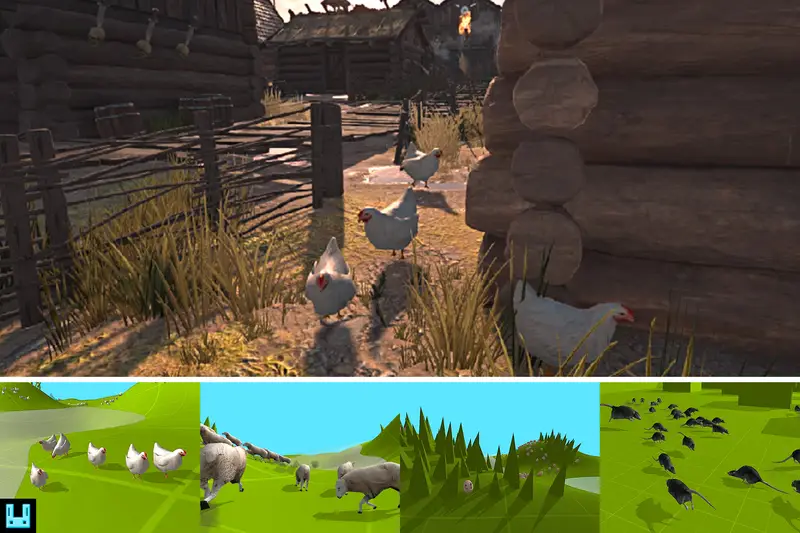
HerdSim Cat
About HerdSim Cat – Unity Editor Tool & Plugin
HerdSim Cat Unity Asset Overview
The HerdSim Cat system is structured around lightweight steering algorithms, deterministic state machine logic, and spatial distance queries designed to simulate realistic feline group interactions. Unlike traditional heavy NavMesh-bound pathfinding solutions that instantiate full agent components per unit, HerdSim utilizes a manager-driven approach. Individual agents operate as lightweight entities whose movement vectors are calculated based on weighted steering behaviors: Cohesion, Separation, Alignment, and Target Seeking.
The system is architected to minimize runtime overhead by decoupling heavy MonoBehaviour updates from engine physics ticks where possible. Core calculation routines rely on vector arithmetic operating on cached transform positions. Distance checks between agents utilize squared magnitude calculations (Vector3.sqrMagnitude) to costly square-root calculations inside nested loops.
State Machine & Steering Logic
Each agent runs a modular state machine governing behavioral states such as Idle, Wander, Flee, and Scramble. Transition decisions are event-driven or evaluated at staggered intervals (tick-rate throttling) rather than on every frame. Below is a structural code snippet illustrating an optimized steering update loop executing non-allocating neighbor calculations:
using UnityEngine;

public class HerdSimCatAgent : MonoBehaviour
{
    [SerializeField] private float neighborRadius = 5.0f;
    [SerializeField] private float separationWeight = 1.5f;
    [SerializeField] private float targetWeight = 1.0f;

    private Transform _cachedTransform;
    private Vector3 _currentVelocity;
    private static readonly Collider[] NeighborBuffer = new Collider[16];

    private void Awake()
    {
        _cachedTransform = transform;
    }

    public Vector3 CalculateSteeringForce(Vector3 targetPosition, LayerMask searchLayer)
    {
        Vector3 separationForce = Vector3.zero;
        Vector3 currentPos = _cachedTransform.position;

        // Non-allocating physics overlap check to avoid Garbage Collection
        int count = Physics.OverlapSphereNonAlloc(currentPos, neighborRadius, NeighborBuffer, searchLayer);

        for (int i = 0; i < count; i++)
        {
            Transform neighbor = NeighborBuffer[i].transform;
            if (neighbor == _cachedTransform) continue;

            Vector3 diff = currentPos - neighbor.position;
            float sqrDist = diff.sqrMagnitude;

            if (sqrDist > 0.0001f)
            {
                separationForce += diff.normalized / Mathf.Sqrt(sqrDist);
            }
        }

        Vector3 targetDirection = (targetPosition - currentPos).normalized;
        return (separationForce * separationWeight) + (targetDirection * targetWeight);
    }
}
Inspector Configuration & Workflow
The component workflow centers on configuring the parent herd controller alongside individual template prefabs. Custom Property Drawers inside the Unity Inspector expose parameters grouped into behavioral thresholds, movement speeds, animation blending factors, and obstacle avoidance raycasts.
Key Controller Parameters
- Max Herd Count: Controls the hard upper limit of spawned feline instances inside the active simulation volume.
- Spawn Radius: Defines the initial generation sphere around the manager transform.
- Min/Max Scale: Introduces scale randomization upon instantiation to break visual uniformity.
- Avoidance Layers: A
LayerMaskdefining static geometry, terrain, and dynamic threats (e.g., predators or player characters) that trigger the Flee state. - Push Force & Ground Clamping: Parameters regulating how strictly agents align with underlying terrain contours via downward raycasting.
Animation System Integration
HerdSim Cat uses a standardized dynamic controller to interface with Mecanim. Velocity fields computed by the steering logic directly drive float parameters in the agent's Animator blend trees (typically Speed and TurnAngle). To reduce CPU overhead across high instance counts, animations can be updated on a staggered frame cycle or integrated with Unity's Culling Group API to pause character skeletal evaluation when off-screen.
Quick-Start Unity Integration Guide
Setting up a functional feline herd requires placing the central manager, defining environmental boundaries, and assigning target waypoints or dynamic threat sources.
Step-by-Step Setup Process
- Step 1: Environment Preparation: Ensure static ground geometry is assigned to a designated terrain layer (e.g.,
Environment) and dynamic obstacles are set to an avoidance layer. - Step 2: Add Manager Prefab: Drag the primary
HerdSimCatControllerprefab into your active scene hierarchy. Position it near the intended group origination point. - Step 3: Prefab Assignment: Assign the included cat character prefabs into the controller's
Agent Prefabsarray. - Step 4: Configure Target Nodes: Place one or more transform target objects in the scene and link them to the controller's target references array to drive herd migration.
- Step 5: Define Threat Colliders: Attach a
HerdSimScareZonescript to dynamic scene entities (such as player characters) to enforce localized fleeing reactions when cats enter proximity.
Performance Profiling & Optimization Guidelines
When running large instance counts (e.g., 50 to 200+ active agents), maintaining target frame rates requires careful management of Mono memory allocations, physics queries, and draw calls.
Optimization Highlights
- Garbage Collection Mitigation: Avoid runtime usage of
InstantiateandDestroyduring gameplay loops. Utilize pre-warmed object pooling mechanisms built into the manager class to reuse inactive agent transforms. - Physics Query Throttling: Disable per-frame Raycast terrain checking for distant agents. Instead, utilize variable-frequency ticks based on distance from the main camera using `Vector3.Distance` or Culling Groups.
- IL2CPP & AOT Compilation: Under IL2CPP scripting backends (iOS, Android, Consoles), ensure high-frequency loops relying on arrays avoid out-of-bounds checks where possible. Array iterations inside the steering pipeline compile down to highly optimized C++ code, significantly reducing execution times compared to the Mono scripting runtime.
- Batching & Rendering: Leverage GPU Instancing on cat character materials and static mesh LOD groups to keep draw call counts low across dense herds.
Asset Details & Specifications
| Category | Tools / Behavior AI |
|---|---|
| Latest Version | v1.4.3 |
| File Size | 10.22 MB |
| Added to Platform | February 5, 2026 |
| Views | 4 views |
| Downloads | 0 downloads |
| Favourites | 0 favourites |
| Issue with Package? | Report Broken Link → |