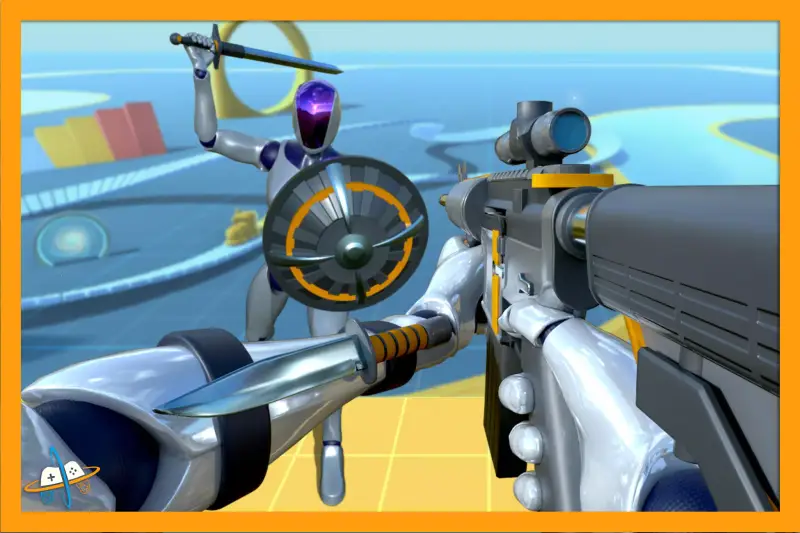
Low Poly FPS Bundle
About Low Poly FPS Bundle – Unity 3D Environment
Low Poly FPS Bundle Unity Asset Overview
Hey there, fellow developers! If you have ever been tasked with spinning up a prototype for a low-poly shooter without spending months on asset creation, you know how painful blockouts can be. That is where the Low Poly FPS Bundle comes into play. In my experience, this asset package acts as a massive time-saver, delivering a cohesive visual ecosystem right out of the box.
From an architectural standpoint, the asset is structured around modular environment building blocks and an integrated first-person controller framework. Instead of forcing you to piece together mismatched art styles, the package relies on a unified color palette and clean, low-vertex geometry. The underlying structure separates environment meshes from scriptable weapon logic, making it remarkably straightforward to swap out prefabs or extend player capabilities without breaking your core loop.
Core Technical Features & Highlights
Honestly, what sets a great asset apart from a mediocre one is how well it handles performance and modern rendering pipelines. This bundle hits several key technical notes that make it adaptable for both desktop and mobile development.
Shaders and Rendering Pipelines
The package ships with clean material setups that transition smoothly between the Built-in Render Pipeline, Universal Render Pipeline (URP), and High Definition Render Pipeline (HDRP). The materials lean heavily on stylized, flat-shaded aesthetics or simple ramps, minimizing the need for heavy normal maps and complex texture sampling.
Performance Benchmarks
- Vertex Counts: Individual environment props generally hover between 50 and 500 triangles, keeping draw calls exceptionally low.
- Texture Memory: By utilizing a unified color palette texture (often a single 128x128 pixel atlas or vertex colors), texture memory overhead is virtually negligible.
- Batching Efficiency: Because the meshes share identical material properties, static and dynamic batching yield massive performance gains, easily sustaining high frame rates on lower-end target hardware.
Ideal Use Cases & Game Genres
Not every asset fits every project, but this bundle has surprising versatility if you lean into its stylized art direction. Here are the genres where it shines brightest:
- Stylized Arena Shooters: Fast-paced multiplayer matches benefit immensely from the clean, clutter-free geometry that prevents players from getting stuck on micro-details.
- Retro-Style Survival Horror: The low-poly aesthetic naturally evokes nostalgia, making it ideal for indie horror games inspired by classic 90s shooters.
- Mobile FPS Prototypes: Due to the lightweight nature of the models and scripts, you can rapidly prototype mobile shooters that maintain steady performance on constrained chipsets.
- Tactical Training Sims: If you need to build simple indoor kill-houses or maze-like environments for AI pathfinding tests, the modular walls and floors get the job done in minutes.
Quick-Start Unity Setup & Integration Guide
Getting this asset up and running in a fresh Unity project takes just a few minutes if you follow a structured workflow. Here is how I typically integrate it into a project workspace.
Step 1: Import and Pipeline Upgrade
Import the package into your project. If you are using URP or HDRP, immediately navigate to the materials folder and run your pipeline's corresponding material upgrade tool (e.g., Edit > Rendering > Materials > Convert Selected Built-in Materials to URP) to prevent pink shader errors.
Step 2: Configuring the Player Controller
Locate the primary FPSController prefab and drop it into your scene. Attach or verify your InputSystem references if you are using Unity's modern input package. Below is a quick snippet showing how you might hook into the custom weapon firing event listener via code:
using UnityEngine;

public class WeaponListener : MonoBehaviour
{
    [SerializeField] private CustomWeaponController weaponController;

    private void OnEnable()
    {
        if (weaponController != null)
        {
            weaponController.OnFireEvent += HandlePlayerFire;
        }
    }

    private void OnDisable()
    {
        if (weaponController != null)
        {
            weaponController.OnFireEvent -= HandlePlayerFire;
        }
    }

    private void HandlePlayerFire()
    {
        Debug.Log("Weapon fired successfully. Play muzzle flash and audio effects here.");
    }
}
Pros & Cons Assessment
Let’s look at an honest breakdown of where this asset excels and where you might need to write custom code or source additional art.
- Pros:
- Cohesive, highly readable art style that looks great without complex post-processing.
- Incredible performance profile suitable for mobile and web export targets.
- Includes functional gun and movement mechanics to kickstart gameplay loops.
- Cons:
- The built-in controller scripts can feel a bit rigid, often requiring refactoring for advanced movement mechanics like sliding or wall-running.
- Limited animations out of the box, meaning you will likely need supplementary animation packs for expanded weapon arsenals.
Asset Details & Specifications
| Category | 3D / Environments |
|---|---|
| Latest Version | v1.01 |
| File Size | 250.90 MB |
| Added to Platform | July 15, 2026 |
| Views | 7 views |
| Downloads | 3 downloads |
| Favourites | 0 favourites |
| Official Store | Buy Original License on Unity Asset Store → |
| Issue with Package? | Report Broken Link → |