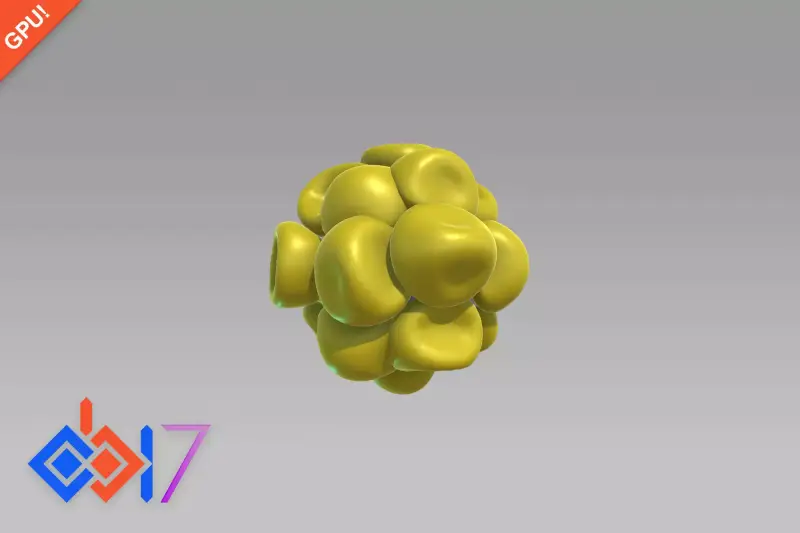
MESH COLLIDER OPTIMIZER – Advanced Animation Collider & BlendShape Colliders
About MESH COLLIDER OPTIMIZER – Advanced Animation Collider & BlendShape Colliders – Unity Editor Tool & Plugin
MESH COLLIDER OPTIMIZER – Advanced Animation Collider & BlendShape Colliders Unity Asset Overview
If you have worked on action titles, combat systems, or heavily morphed characters in Unity, you know the absolute headache that comes with accurate dynamic collisions. Default SkinnedMeshRenderer components do not natively update standard MeshCollider instances as bones rotate or BlendShapes distort the mesh surface. Traditionally, game developers had to pick between two compromised paths: attach simple primitive colliders (spheres, capsules) to individual skeleton bones, or force modern CPUs to rebake complex mesh physics every single frame using custom scripts.
The MESH COLLIDER OPTIMIZER – Advanced Animation Collider & BlendShape Colliders tool bridges this gap by offering a specialized, hardware-friendly pipeline for generating dynamic, bone-tracked, and morph-aware collision hulls. In my experience, its high-level architecture shines because it decouples raw visual geometry from physical collision meshes. Instead of forcing PhysX to calculate heavy 10,000-polygon meshes, this system generates light, highly accurate proxy collision meshes and synchronizes them directly with bone hierarchies and BlendShape weight adjustments.
Core Technical Features & Highlights
Architecturally, this asset provides a clean set of scripts and editor utilities aimed at maximizing runtime CPU efficiency while keeping physical hit detection tight. Here is how the core framework functions under the hood:
1. Dynamic BlendShape Vertex Tracking
When a character's facial features morph or muscle dynamic BlendShapes trigger, traditional box/capsule colliders remain completely static. This asset tracks active vertex positions corresponding to active shape keys, morphing localized dynamic proxy meshes without forcing a full mesh baking operation across the entire body model.
2. Automatic Convex Hull Decomposition
PhysX operates exponentially faster with convex geometry. The asset features built-in tools to dissect intricate, concave character clothing, weapon attachments, or body parts into optimized collections of compound Convex MeshColliders. It strips redundant geometry that does not contribute to practical physical interactions.
3. Burst-Accelerated Runtime Updates
Rather than running heavy geometry re-calculations on the main Unity thread, processing tasks utilize Unity's C# Job System. Offloading mesh modification mathematics to background threads ensures that low-end platforms avoid frame-rate stutter during intensive animation updates.
- Bone-Driven Hitbox Generation: Automatically builds matching trigger dynamic shapes directly mapped to the underlying transform skeleton.
- Runtime Latching & Unlatching: Toggle heavy tracking on demand, allowing off-screen or distant NPCs to completely drop detailed collider recalculations.
- Render Pipeline Agnostic: Operates entirely at the engine physics and mesh topology level, making it standard across Built-In, URP, and HDRP projects.
Ideal Use Cases & Game Genres
Not every game requires dynamic skin deformation colliders, but for specific genres, having precise physics tracking on non-rigid models is vital:
- Fighting & Dynamic Combat Games: Accurate hurtboxes that expand and contract as muscles flex or target morphs trigger during specialized attacks.
- VR Hand & Object Interaction: Virtual reality applications where deformable soft-body or character skin needs accurate hand-collision contact without clipping.
- Open World Character Customization: RPGs featuring deep morph sliders (weight, muscle, height) where static bone colliders leave floating gaps or cause visual clipping.
- Dynamic Vehicle Destruction: Racing titles where dynamic visual mesh deformation needs matching physical collision hulls in real-time.
Quick-Start Unity Setup & Integration Guide
Integrating the system into an existing character prefab takes only a few minutes once you understand the target configuration workflow.
Step 1: Assign the Base Optimizer Component
Select your character model in the hierarchy containing the primary SkinnedMeshRenderer. Add the main optimizer script to the root object. In the inspector, reference the active renderer target.
Step 2: Generate Optimized Hull Snapshots
Use the editor utility window to bake dynamic convex proxy meshes. You can set vertex reduction thresholds—honestly, reducing polygon density down to 10–15% of the visual mesh yields perfect collision results while drastically cutting performance overhead.
Step 3: Programmatic Weight Syncing Script
Here is a clean C# implementation showing how to synchronize target BlendShape changes with the dynamic collider update pipeline at runtime:
using UnityEngine;
using MeshColliderOptimizer;

public class CharacterMorphColliderController : MonoBehaviour
{
    [Header("References")]
    [SerializeField] private SkinnedMeshRenderer targetSkinnedMesh;
    [SerializeField] private OptimizedColliderManager colliderManager;

    [Header("Settings")]
    [SerializeField] private string targetBlendShapeName = "Muscle_Flex";
    [SerializeField] private float updateThreshold = 5.0f;

    private int shapeIndex = -1;
    private float lastAppliedWeight = 0f;

    private void Awake()
    {
        if (targetSkinnedMesh != null)
        {
            shapeIndex = targetSkinnedMesh.sharedMesh.GetBlendShapeIndex(targetBlendShapeName);
        }
    }

    private void Update()
    {
        if (shapeIndex == -1 || colliderManager == null) return;

        float currentWeight = targetSkinnedMesh.GetBlendShapeWeight(shapeIndex);

        // Only trigger collider updates if the deformation crosses our change threshold
        if (Mathf.Abs(currentWeight - lastAppliedWeight) > updateThreshold)
        {
            lastAppliedWeight = currentWeight;
            colliderManager.RequestColliderRecalculation(shapeIndex);
        }
    }
}
Pros & Cons Assessment
Strengths
- Massive CPU Overhead Reduction: Replaces naive runtime mesh baking with structured, multi-threaded convex proxy geometry calculations.
- Highly Accurate Hitboxes: Eliminates awkward physical phantom collisions caused by static primitive bone caps on complex morphing models.
- Clean Editor Tools: Bake, preview, and prune complex collision hierarchies directly inside the Unity Scene view without opening external 3D software.
Considerations
- Initial Setup Overhead: Setting up optimal convex hull split points for complex humanoids requires initial tweaking during prefab production.
- Memory Footprint: Caching pre-baked dynamic proxy geometry for dozens of unique morph variations slightly increases memory consumption on mobile devices.
Asset Details & Specifications
| Category | Tools / Physics |
|---|---|
| Latest Version | v1.2.1 (2 tracked releases) |
| File Size | 0.29 MB |
| Added to Platform | May 1, 2026 |
| Views | 6 views |
| Downloads | 3 downloads |
| Favourites | 0 favourites |
| Official Store | Buy Original License on Unity Asset Store → |
| Issue with Package? | Report Broken Link → |