Modular Vehicle Framework
About Modular Vehicle Framework – Unity Editor Tool & Plugin
Modular Vehicle Framework Unity Asset Overview
In my 8+ years building Unity projects, vehicle physics has consistently been one of those deceptively complex systems. Unity's native WheelCollider gets you off the ground quickly, but as soon as you need nuanced drift dynamics, realistic suspension travel, or decoupled powertrain logic, you end up hitting a wall. The Modular Vehicle Framework tackles this problem by stripping away standard physics shortcuts and offering a decoupled, component-based vehicle architecture.
Architecturally, this framework separates physical simulation from input handling and visual rendering. Instead of sticking rigidly to standard wheel components, it utilizes a hybrid approach: custom raycast-based suspension math combined with Rigidbody forces executed during FixedUpdate. Powertrain calculations—such as engine torque curves, differential distribution, and gear shifting logic—are isolated inside standalone C# modules and ScriptableObject data containers. This clean separation allows you to swap vehicle configurations at runtime without breaking underlying physics setups.
Core Technical Features & Highlights
When reviewing vehicle toolkits, I pay close attention to GC allocations, physics stability under frame drops, and pipeline adaptability. Here is a breakdown of what this framework delivers under the hood:
- Dual Physics Simulation Modes: Features both lightweight raycast wheel physics for high-vehicle-count scenes and standard multi-point contact physics for precise off-road physics simulation.
- ScriptableObject Powertrain Profiles: Engine curves, gear ratios, dynamic brake bias, and differential setups (AWD, FWD, RWD) are fully decoupled from physical prefabs.
- URP & HDRP Shader Integration: Includes pre-built Shader Graph assets for dynamic brake disc glowing, dynamic surface-aligned tire tracks, and heat distortion particle VFX.
- Adaptive Audio Engine: A multi-layered pitch/volume audio blender driven directly by engine RPM, turbo blow-off triggers, and surface-dependent wheel skids using native
AudioMixerGroupsetups. - Zero-Allocation FixedUpdate Loops: Core calculation steps cache local variables and structs, keeping garbage collector pressure at absolute zero during driving loops.
Ideal Use Cases & Game Genres
Honestly, not every driving game needs this level of modularity, but certain genres benefit immensely from its structure:
Open World Action Titles
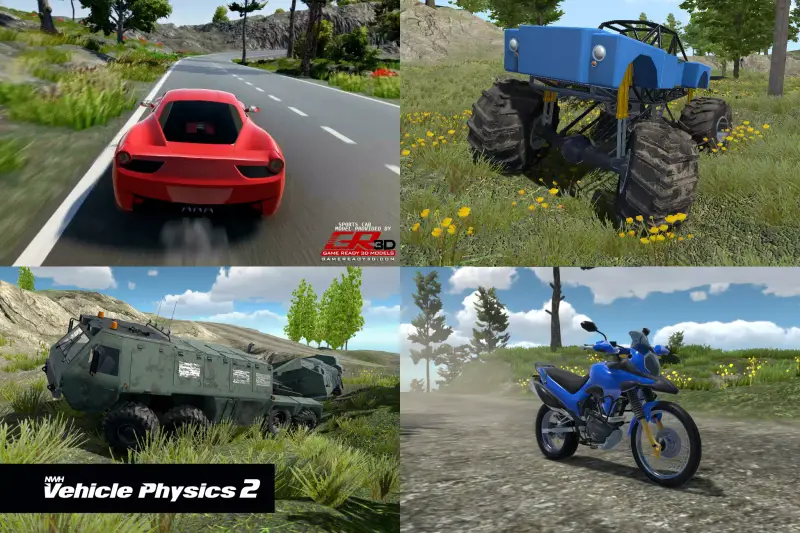
If you are building an urban open-world title where players jump between muscle cars, motorbikes, and heavy trucks, this asset shines. You can attach a single VehicleController component to a base rig and apply wildly different dynamic profiles simply by switching ScriptableObject presets at runtime.
Mobile Arcade & Drift Racers
The raycast suspension option is exceptionally performant on mobile devices. You can run dozens of AI-controlled vehicles simultaneously on modern mobile hardware without experiencing frame pacing hitches or CPU bottlenecks in the physics thread.
Tactical Shooters & Survival Games
For games requiring destructible vehicle components—like popping individual tires, damaging driveshafts, or draining fuel tanks—the framework exposes individual wheel nodes and engine sub-components via clean C# delegates and events.
Quick-Start Unity Setup & Integration Guide
Integrating the framework into a new or existing Unity scene is straightforward. Here is the recommended workflow to get a custom car running cleanly:
1. Hierarchy & Rigidbody Configuration
Create a root GameObject for your vehicle and attach a Rigidbody. Set its mass realistically (e.g., 1400 kg) and set Interpolate to Interpolate to prevent visual jitter when the camera tracks the vehicle during render passes.
2. Attaching Core Framework Components
Attach the VehicleController script to your root object. Assign your four wheel transform targets (Front-Left, Front-Right, Rear-Left, Rear-Right) to the corresponding raycast anchor slots in the inspector.
3. Custom Scripting & Runtime Controls
To dynamically control or modify vehicle performance via code, you can interface with the controller using its exposed API. Here is a clean example of initializing and listening to engine state events from your own custom gameplay manager:
using UnityEngine;
using ModularVehicleSystem;

[RequireComponent(typeof(VehicleController))]
public class CustomVehicleInitializer : MonoBehaviour
{
    [SerializeField] private VehicleProfile _sportsCarProfile;
    private VehicleController _controller;

    private void Awake()
    {
        _controller = GetComponent<VehicleController>();
        ApplyRuntimeConfiguration();
    }

    private void ApplyRuntimeConfiguration()
    {
        if (_sportsCarProfile == null) return;

        // Apply dynamic profile settings at runtime
        _controller.InitializeProfile(_sportsCarProfile);

        // Register event listeners for powertrain events
        _controller.OnGearChanged += HandleGearShift;
        _controller.OnTireSlipExceeded += HandleTireSlippage;
    }

    private void HandleGearShift(int newGear)
    {
        Debug.Log($"Transferred power to Gear: {newGear}");
    }

    private void HandleTireSlippage(int wheelIndex, float slipAmount)
    {
        if (slipAmount > 0.85f)
        {
            // Trigger customized camera shake or telemetry updates
        }
    }

    private void OnDestroy()
    {
        if (_controller != null)
        {
            _controller.OnGearChanged -= HandleGearShift;
            _controller.OnTireSlipExceeded -= HandleTireSlippage;
        }
    }
}
Pros & Cons Assessment
- Pros:
- Highly modular architecture; powertrain logic is completely independent of visual rigs.
- Out-of-the-box support for both Unity's legacy Input Manager and the modern Input System package.
- Incredibly optimized physics loop with zero per-frame garbage collector allocations.
- Comprehensive visual effects included, complete with customizable URP/HDRP shaders.
- Cons:
- Initial learning curve can feel steep for beginner developers unaccustomed to modular architecture.
- Requires manual setup of custom mesh colliders for complex non-standard vehicle shapes.
Asset Details & Specifications
| Category | Tools / Physics |
|---|---|
| Latest Version | v1.0.1 |
| File Size | 656.87 MB |
| Added to Platform | August 31, 2026 |
| Views | 8 views |
| Downloads | 2 downloads |
| Favourites | 1 favourites |
| Official Store | Buy Original License on Unity Asset Store → |
| Issue with Package? | Report Broken Link → |