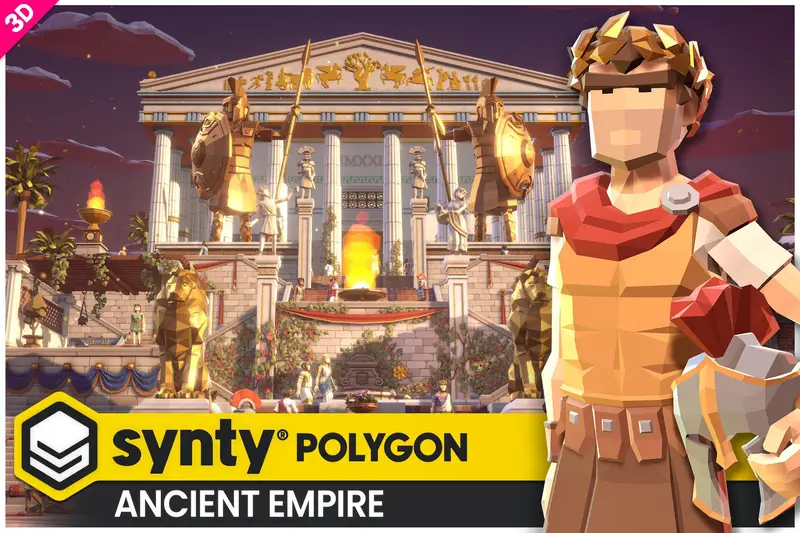
POLYGON - Ancient Egypt Pack - Art by Synty
About POLYGON - Ancient Egypt Pack - Art by Synty – Unity 3D Environment
POLYGON - Ancient Egypt Pack - Art by Synty Unity Asset Overview
If you have worked with Unity long enough, you know Synty Studio's POLYGON series is practically the gold standard for low-poly game assets. The POLYGON - Ancient Egypt Pack expands their recognizable aesthetic into dusty deserts, opulent Pharaoh tombs, crumbling catacombs, and sun-baked oases. Having used Synty assets across several mobile and indie PC titles over the past eight years, I find this pack particularly impressive because of how well it balances visual variety with hyper-efficient rendering performance.
From an architectural standpoint, the asset solves one of the biggest bottlenecks in low-poly environment production: draw call batching. Synty achieves this by utilizing a shared Texture Atlas Architecture. Instead of hundreds of individual materials cluttering your project, the vast majority of environmental props, architectural walls, and decoration assets share a master texture palette. When set up properly with Unity's SRP Batcher or standard static batching, you can render complex tomb interiors with hundreds of props while keeping your draw call (batches) count ridiculously low.
Core Technical Features & Highlights
Beyond the impressive artistic direction, the technical construction of the mesh models and material setup is tailored for real-time performance on everything from low-end mobile hardware to modern VR headsets.
Texture Atlasing & Render Pipeline Optimization
The core efficiency comes from the unified material layout. Most static props share a single master texture palette (typically 2048x2048 or 4048x4048 depending on your texture compression settings). This structure offers immense advantages:
- SRP Batcher Compatibility: In the Universal Render Pipeline (URP), objects sharing the same material layout and shader variant get batched into a single render call execution, drastically reducing CPU overhead.
- Minimal Memory Footprint: Reduced VRAM consumption makes it ideal for mobile devices (iOS/Android) and standalone VR platforms like Meta Quest.
- Material Variants: Includes specialized shaders for sand drift effects, glowing runes, water surfaces, and simple alpha-tested vegetation.
Grid-Based Modular Architecture
The interior temple components (walls, pillars, stairs, secret doors, and trap corridors) are designed on a strict 1-unit and 2-unit spatial grid. In my experience, building modular dungeons with this pack takes minutes when combined with Unity's ProGrids or native grid snapping (holding the V key or configuring Grid Snap settings in Unity 2022/6).
Rigged Characters & Mecanim Integration
The included character models—ranging from Gods (Anubis, Horus), Pharaohs, and Priests to Mummies and Guards—are bound to Synty’s standard Humanoid Avatar layout. You can drop in any standard Mecanim animation asset (like Mixamo or Unity Animation Store packs) and the retargeting works immediately without bone-mapping headaches.
Ideal Use Cases & Game Genres
While the aesthetic is explicitly stylized low-poly, the versatility of the kit allows it to adapt across multiple game genres:
- Top-Down Action RPG / Dungeon Crawler: Think classic Tomb Raider puzzle mechanics mixed with Diablo combat set inside crumbling traps and treasure chambers.
- Survival & Base Building: Desert survival games where players gather sandstone, construct oases camps, and explore ancient ruins.
- Hyper-Casual & Hybrid-Casual Runners: Endless runners fleeing from mummies or dodging swinging blade traps down pyramid corridors.
- Turn-Based Tactics: Hex-grid or square-grid strategy games using the modular floor tiles and obstacles for cover-based combat.
Quick-Start Unity Setup & Integration Guide
Integrating this pack into a modern Unity URP (Universal Render Pipeline) or HDRP project requires a few straightforward setup steps to ensure materials convert correctly without the infamous purple shader error.
Step 1: Pipeline Material Conversion
If your project uses URP, import the package into your project, then navigate to the top menu:
Window > Rendering > Render Pipeline Converter. Select Built-in to URP, check Material Upgrade, and click Initialize and Convert. Synty also includes dedicated URP unitypackages inside the asset directory—unpacking those will automatically override standard Lit shaders with URP-optimized Lit shaders.
Step 2: Scripting Interactive Traps
Pyramid environments naturally call for interactive traps. Here is a practical, production-ready C# script I wrote to handle triggered trap doors or sliding wall segments when a player steps into a zone. Attach this to your trap parent prefab and configure the trigger volume.
using UnityEngine;
using System.Collections;

namespace GameDevJulia.AncientEgypt
{
    [RequireComponent(typeof(BoxCollider))]
    public class PyramidTrapTrigger : MonoBehaviour
    {
        [Header("Trap Settings")]
        [SerializeField] private Transform trapDoorTransform;
        [SerializeField] private Vector3 openOffset = new Vector3(0, -4f, 0);
        [SerializeField] private float transitionSpeed = 4.0f;
        [SerializeField] private LayerMask targetLayer;

        private Vector3 closedPosition;
        private Vector3 targetPosition;
        private bool isTriggered = false;

        private void Start()
        {
            if (trapDoorTransform != null)
            {
                closedPosition = trapDoorTransform.localPosition;
                targetPosition = closedPosition + openOffset;
            }

            // Ensure collider is configured as a trigger
            GetComponent().isTrigger = true;
        }

        private void OnTriggerEnter(Collider other)
        {
            if (((1 << other.gameObject.layer) & targetLayer) != 0 && !isTriggered)
            {
                isTriggered = true;
                StartCoroutine(AnimateTrap());
            }
        }

        private IEnumerator AnimateTrap()
        {
            while (Vector3.Distance(trapDoorTransform.localPosition, targetPosition) > 0.01f)
            {
                trapDoorTransform.localPosition = Vector3.MoveTowards(
                    trapDoorTransform.localPosition,
                    targetPosition,
                    transitionSpeed * Time.deltaTime
                );
                yield return null;
            }
            trapDoorTransform.localPosition = targetPosition;
        }
    }
}
Pros & Cons Assessment
Pros
- Unbeatable Rendering Efficiency: Palette-based texture atlasing keeps total draw calls minimal even in scene-heavy environments.
- Extensive Asset Collection: Includes modular architecture, foliage, treasure props, boats, animated traps, custom VFX particles, and fully rigged characters.
- Mecanim Ready: Plug-and-play compatibility with standard Unity humanoid animations.
- Clean Prefab Hierarchy: Prefabs are neatly organized into categorized subfolders (Buildings, Props, Characters, Environment, VFX).
Cons
- Specific Visual Identity: The Synty low-poly style is distinct. Mixing these assets with realistic or non-faceted low-poly art styles creates visual discord.
- Atlas Color Customization Overhead: Changing individual object colors requires either adjusting UV coordinates in a 3D modeling application or modifying the master texture atlas image in Photoshop/GIMP.
Asset Details & Specifications
| Category | 3D / Environments |
|---|---|
| Latest Version | v1.0.1 |
| File Size | 181.74 MB |
| Added to Platform | April 21, 2026 |
| Views | 5 views |
| Downloads | 3 downloads |
| Favourites | 0 favourites |
| Official Store | Buy Original License on Unity Asset Store → |
| Issue with Package? | Report Broken Link → |