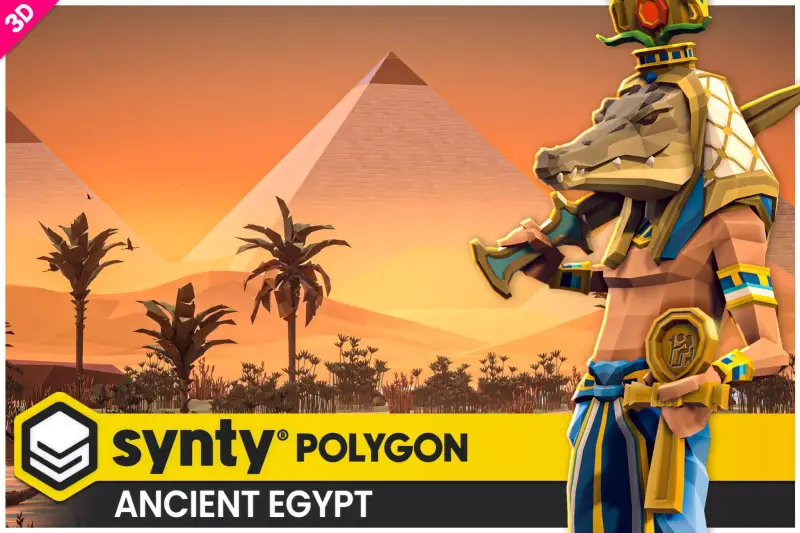
POLYGON - Ancient Empire Pack - Art by Synty
About POLYGON - Ancient Empire Pack - Art by Synty – Unity 3D Environment
POLYGON - Ancient Empire Pack - Art by Synty Unity Asset Overview
For developers building stylized historical, fantasy, or role-playing games, asset budget management is often a constant struggle. Synty Studios has established itself as a standard in the low-poly aesthetic, and the POLYGON - Ancient Empire Pack is one of their most architecturally ambitious releases. It provides a massive collection of modular environmental pieces, weapons, characters, and prop prefabs inspired by Roman, Greek, Egyptian, and Persian aesthetics.
From an architectural standpoint, this asset pack is built around a highly efficient texture-atlasing paradigm. Instead of hundreds of unique materials and texture maps choking your GPU's memory bandwidth, almost the entire pack shares a single, master texture palette. This design philosophy dramatically simplifies batching pipeline optimizations, allowing you to build sprawling ancient cities that can run smoothly on low-end mobile devices and standalone VR headsets.
In my experience, Synty's modular approach also means that environmental prefabs are designed with strict grid-snapping in mind. Wall segments, pillars, arches, and steps align to clean pivot points, making procedural level generation or manual grid-based level design incredibly straightforward.
Core Technical Features & Highlights
Draw Call & Batching Optimization
Honestly, the biggest bottleneck with large low-poly scenes isn't the vertex count—it's the draw calls. Because this pack utilizes a unified palette texture atlas, you can achieve massive performance gains by taking advantage of Static Batching and GPU Instancing. When configured correctly, Unity can combine hundreds of distinct environmental meshes (like pillars, blocks, and urns) into a single draw call, provided they share the same material.
Render Pipeline Compatibility
The pack ships with standard materials designed for the built-in 3D render pipeline, but it is fully compatible with the Universal Render Pipeline (URP) and the High Definition Render Pipeline (HDRP). Synty provides dedicated URP conversion packages within the asset structure, allowing you to transition to Scriptable Render Pipelines without losing texture coordinate mapping or material configurations.
Rigging and Mecanim Compatibility
All characters included in this pack are rigged using the standard Unity Mecanim Humanoid setup. This is a massive timesaver. It means any animation clip designed for humanoid rigs—whether from Mixamo, the Unity Asset Store, or custom motion capture—will retarget to these ancient warriors, emperors, and citizens with minimal adjustment.
Weapon and Shield Attachment System
To easily manage the modular weapons and shields on these humanoid rigs at runtime, we need a reliable attachment script. Below is a practical script to handle equipping weapons directly to character hand anchors:
using UnityEngine;

public class CharacterEquipmentManager : MonoBehaviour
{
    [Header("Attachment Anchors")]
    [SerializeField] private Transform rightHandAnchor;
    [SerializeField] private Transform leftHandAnchor;

    private GameObject _currentRightHandItem;
    private GameObject _currentLeftHandItem;

    public void EquipItem(GameObject itemPrefab, bool isLeftHand)
    {
        Transform targetAnchor = isLeftHand ? leftHandAnchor : rightHandAnchor;
        ref GameObject currentItem = ref isLeftHand ? ref _currentLeftHandItem : ref _currentRightHandItem;

        if (currentItem != null)
        {
            Destroy(currentItem);
        }

        if (itemPrefab == null) return;

        currentItem = Instantiate(itemPrefab, targetAnchor);
        currentItem.transform.localPosition = Vector3.zero;
        currentItem.transform.localRotation = Quaternion.identity;
        currentItem.transform.localScale = Vector3.one;

        // Ensure colliders are disabled on equipped cosmetic models
        if (currentItem.TryGetComponent<Collider>(out var col))
        {
            col.enabled = false;
        }
    }
}
Ideal Use Cases & Game Genres
- Top-Down Hack & Slash / ARPGs: The distinct profiles of the low-poly structures and characters stand out beautifully when viewed from an orthographic or high-angle perspective, making it ideal for Diablo-like action games set in mythological eras.
- Real-Time Strategy (RTS) & City Builders: Since the polygon count per asset is extremely low, you can render hundreds of soldiers, siege engines, and temples simultaneously on-screen without turning your player's CPU into a furnace.
- Mobile RPGs and Adventure Games: The single-texture atlas optimization fits perfectly within the tight memory budgets of mobile hardware, leaving plenty of overhead for complex gameplay systems and UI.
- Cooperative Survival Crafting: The modular wall, roof, and pillar prefabs can easily be integrated into a runtime building system, allowing players to construct their own Roman villas or Egyptian fortresses block-by-block.
Quick-Start Unity Setup & Integration Guide
Step 1: Importing and Folder Organization
Once you import the package into your project, locate the root folder. You will find separate directories for Models, Prefabs, Materials, and Scenes. I highly recommend moving the entire folder into an isolated third-party directory (e.g., Assets/ThirdParty/Synty/PolygonAncientEmpire/) to keep your main assembly path clean.
Step 2: Upgrading to the Universal Render Pipeline (URP)
If your project is utilizing URP, you must upgrade the standard materials to avoid the dreaded "pink shader" look:
- Navigate to the package's internal folder structure and locate the URP import package unitypackage (usually located inside a folder named
Project_Updatesor similar). - Import that specific package into your project to overwrite standard materials with URP-compatible materials.
- Alternatively, navigate to Window > Rendering > Render Pipeline Converter, select Built-in to URP, check Material Upgrade, and click Initialize and Convert.
Step 3: Activating GPU Instancing on the Palette Material
To maximize your performance, you must enable instancing on the main shared material. Locate the core master material (typically named PolygonAncientEmpire_Mat_01 or similar):
- Select the material in your Project view.
- In the Inspector, scroll down to the bottom of the shader properties.
- Check the box labeled Enable GPU Instancing.
Step 4: Grid Snapping Configuration for Level Design
Because these modules are built on a strict unit grid, manual placement can be tedious without snapping enabled. In the Unity Editor, set your translation grid snapping increments to 1 or 0.5 units. Hold down the Ctrl key (or Cmd on Mac) while dragging objects to snap them perfectly, ensuring seamless alignments between walls, columns, and foundations.
Pros & Cons Assessment
Key Technical Pros
- Unmatched Draw Call Efficiency: Unified texture atlasing ensures that complex modular scenes can be batched down to a handful of draw calls.
- High Asset Variety: Includes modular assets across multiple distinct ancient cultures (Roman, Egyptian, Greek, and Persian), allowing for diverse biomes and zones in a single pack.
- Humanoid Mecanim Ready: Complete compatibility with existing animations saves hundreds of hours of custom rigging work.
- Incredible Modular Flexibility: Building blocks are clean, cleanly UV-unwrapped, and scale predictably on a grid coordinate system.
Considerations & Limitations
- The "Synty Look": The highly stylized, low-poly aesthetic is very recognizable. If you are aiming for a highly unique visual identity, you will need to rely heavily on custom lighting, post-processing profiles, or shader alterations to set your game apart.
- Atlas Color Customization Overhead: Because all models share a single color palette texture, modifying the color of a single shield or tunic requires you to modify the master atlas image or create a duplicated, separate material instance, which can degrade batching efficiency if overused.
Asset Details & Specifications
| Category | 3D / Environments |
|---|---|
| Latest Version | v1.5.0 (2 tracked releases) |
| File Size | 115.18 MB |
| Added to Platform | April 3, 2026 |
| Views | 5 views |
| Downloads | 4 downloads |
| Favourites | 0 favourites |
| Official Store | Buy Original License on Unity Asset Store → |
| Issue with Package? | Report Broken Link → |