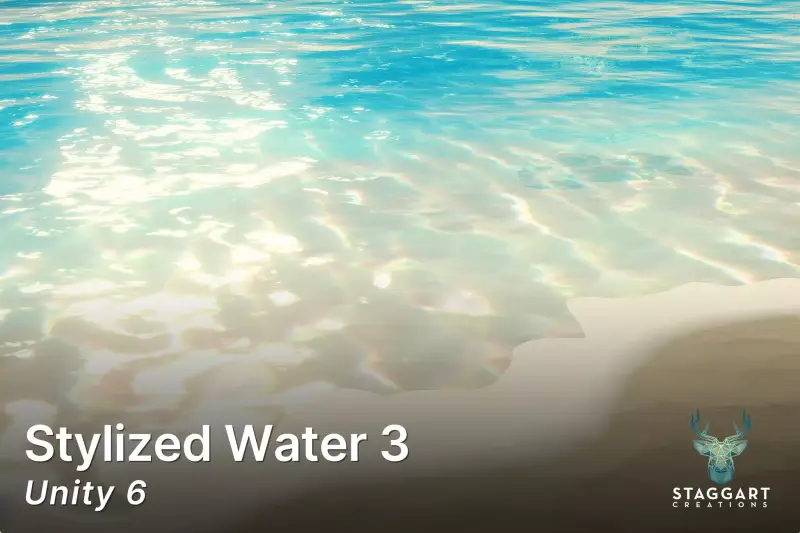
URP Water
About URP Water – Unity VFX & Shader Pack
URP Water Unity Asset Overview
Water renders are historically one of the trickiest visual elements to nail down in game development. You are constantly balancing performance overhead against aesthetic quality, especially when targeting mobile or mid-range visual hardware. The URP Water asset solves this challenge specifically for Unity's Universal Render Pipeline (URP) by combining a highly modular shader graph architecture with lightweight custom HLSL functions.
Instead of relying on heavy screen-space reflections or expensive compute-based ocean simulations, this shader relies on standard camera depth textures (_CameraDepthTexture) and opaque sampling (_CameraOpaqueTexture). In my experience, this architectural approach gives you depth-based color absorption, surface refractions, and shoreline foam effects at a fraction of the performance cost of traditional deferred rendering approaches.
Core Technical Features & Highlights
Here is the key takeaway: URP Water hits the sweet spot between stylized artistic control and raw rendering performance. Below is a breakdown of the core technical features built into the package:
- Depth-Based Gradient Absorption: Calculates distance between the water geometry and underlying scene mesh using screen-space depth, allowing smooth transitions between shallow shorelines and deep ocean trenches.
- Gerstner Wave Vertex Displacement: Features multi-layered Gerstner Wave calculations executing on the GPU vertex shader to create realistic peak and trough surface movement without CPU strain.
- Intersection & Shoreline Foam: Uses procedural noise passes blended with scene depth distance to generate dynamic shoreline foam that adapts automatically around static colliders and terrain.
- Low-Poly & Flat-Shaded Modes: Includes a dedicated lighting toggle that recalculates surface normals per-triangle, making it ideal for low-poly art directions without changing the underlying geometry.
- Lightweight Refraction & Distortion: Normal-map driven UV offsets applied to the opaque camera texture produce convincing underwater refraction without multi-pass rendering.
Ideal Use Cases & Game Genres
Because the shader is built from the ground up for URP, it scales extremely well across different genres and performance budgets. Honestly, depending on how you configure the material parameters, it fits several production scenarios:
Stylized & Low-Poly Indie RPGs
By enabling flat shading and cranking up the foam sharpness, the water instantly takes on an artistic, cel-shaded look that blends seamlessly into low-poly environments without requiring custom lighting models.
Mobile Action & Top-Down Strategy
Mobile platforms struggle with high fill-rate costs. Since URP Water allows you to selectively disable planar reflections and refraction passes, you can maintain high frame rates on modern mobile GPUs while keeping essential shoreline visual feedback.
Survival & Exploration Prototypes
If you need quick water setup for lakes, rivers, or small island maps, this asset delivers immediate aesthetic value out of the box, allowing you to focus on gameplay mechanics like swimming, floating, or fishing.
Quick-Start Unity Setup & Integration Guide
Setting up water shaders in URP often trips developers up due to missing camera settings. Here is a practical step-by-step setup guide to get things running quickly.
Step 1: Pipeline Configuration
Before applying the material to any mesh, ensure your active URP Asset has depth and opaque textures enabled in the Project Settings:
- Select your active
UniversalRenderPipelineAssetin the Inspector. - Check the box for Depth Texture.
- Check the box for Opaque Texture.
Step 2: Material & Mesh Assignment
Create a standard 3D Plane or custom water mesh. Create a new material, set its shader to URP/Water (or the corresponding Shader Graph variant included), and assign it to your mesh renderer.
Step 3: C# Wave Buoyancy Integration
To make game objects float realistically on the surface, you need to sample the wave height at a given world position. Below is a simple C# buoyancy script that matches the default Gerstner wave displacement settings:
using UnityEngine;

public class SimpleWaterBuoyancy : MonoBehaviour
{
    [SerializeField] private float waterLevel = 0.0f;
    [SerializeField] private float waveFrequency = 1.0f;
    [SerializeField] private float waveAmplitude = 0.5f;
    [SerializeField] private float damping = 2.0f;

    private Rigidbody rb;

    private void Awake()
    {
        rb = GetComponent<Rigidbody>();
    }

    private void FixedUpdate()
    {
        Vector3 pos = transform.position;
        // Simple trigonometric approximation matching single-wave GPU displacement
        float calculatedWaveHeight = waterLevel + Mathf.Sin(Time.time * waveFrequency + pos.x + pos.z) * waveAmplitude;

        if (pos.y < calculatedWaveHeight)
        {
            float displacement = Mathf.Clamp01((calculatedWaveHeight - pos.y) / waveAmplitude);
            Vector3 uplift = Vector3.up * (displacement * Mathf.Abs(Physics.gravity.y) * damping);
            rb.AddForceAtPosition(uplift, pos, ForceMode.Acceleration);
        }
    }
}
Pros & Cons Assessment
- Pros: Extremely lightweight performance footprint; seamless integration with Unity Shader Graph; versatile visual style ranging from low-poly to realistic; straightforward depth-based foam controls.
- Cons: Screen-space refractions can exhibit minor edge artifacts when geometry intersects camera frustum edges; lacks advanced physical Fast Fourier Transform (FFT) ocean simulation out of the box for massive ocean storms.
Asset Details & Specifications
| Category | VFX / Shaders |
|---|---|
| Latest Version | v1.2.2 (2 tracked releases) |
| File Size | 85.07 MB |
| Added to Platform | February 7, 2026 |
| Views | 10 views |
| Downloads | 3 downloads |
| Favourites | 1 favourites |
| Official Store | Buy Original License on Unity Asset Store → |
| Issue with Package? | Report Broken Link → |