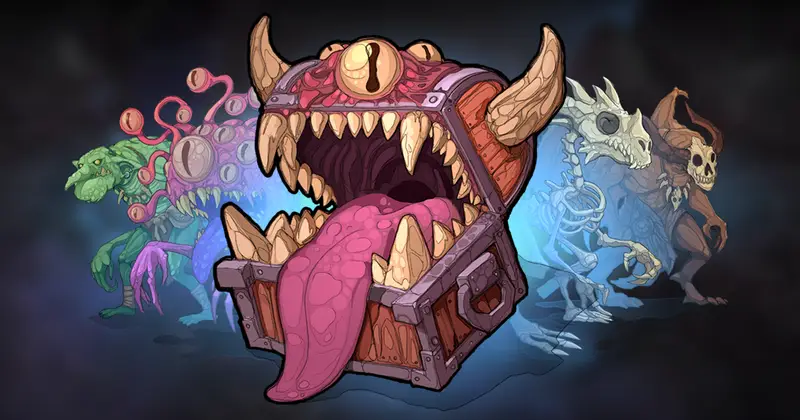
2D Anim Heroes
About 2D Anim Heroes – Unity 2D & UI Pack
2D Anim Heroes Unity Asset Overview
As a senior Unity developer who has built and shipped several 2D side-scrollers and action platformers over the last 8 years, I have seen my fair share of character assets. Production bottlenecks almost always happen during character rigging, frame-by-frame sprite slicing, and setting up clean state machines. 2D Anim Heroes addresses these exact paint points by offering a modular, production-ready framework for 2D character animation.
At its core, the asset is structured around Unity's native Mecanim Animation System paired with modular sprite swapping techniques. Instead of forcing you to rely on bloated external runtime plugins, it builds cleanly on top of Unity's SpriteRenderer, Animator, and modern 2D Animation (Bone Rigging / Sprite Library) workflows. In my experience, having character equipment broken down into distinct visual layers (head, body, weapons, fx) makes runtime visual customization drastically easier to implement.
Core Technical Features & Highlights
When analyzing character templates from an architectural perspective, performance and visual flexibility are my top priorities. Here is how this asset breaks down under the hood:
- Skeletal & Frame-Based Rigging: Uses normalized bone hierarchy structures, allowing smooth blending between walking, running, jumping, and combat clips without visible mesh tearing.
- Optimized Sprite Atlases: Textures are packed into clean SpriteAtlas assets, reducing overall draw calls through automated batching in Unity's render pipeline.
- Mecanim State Machine Templates: Features pre-configured
AnimatorControllergraphs complete with sub-state machines, optimized transition conditions, and exposed parameter IDs. - URP 2D Shader Compatibility: Sprites work out of the box with the Universal Render Pipeline (URP) using
Sprite-Lit-Defaultmaterials, supporting runtime dynamic light reflections and 2D shadow casters.
Layering & Sprite Swapping Architecture
The character modularity relies heavily on split sprite sheets. Weapons, armor pieces, and headgear sit on distinct sorting layers. By adjusting the Sorting Order on child SpriteRenderer components or binding them to a centralized SpriteResolver, you can programmatically equip items at runtime without instantiating entirely new character prefabs.
Ideal Use Cases & Game Genres
Honestly, this template fits best into projects where gameplay speed and rapid visual iteration matter most. In my experience, it shines particularly well in the following formats:
- 2D Metroidvanias & Action Platformers: Perfect for player characters requiring quick directional changes, wall jumps, attacks, and hurt states.
- Roguelite Hack-and-Slash Games: Great for games that need distinct player visual progression when picking up dynamic weapons or gear.
- Side-Scrolling Brawlers / Beat 'Em Ups: Highly responsive state setups allow tight hit-frame checks and combo chaining.
- Hyper-Casual & Mobile Arcade Titles: Lightweight sprite memory footprints keep mobile builds compact and frame rates locked at 60 FPS.
Quick-Start Unity Setup & Integration Guide
Integrating 2D Anim Heroes into an active codebase requires setting up a dedicated controller script to drive the Mecanim parameters efficiently. Here is how to write a lightweight, garbage-collection-friendly character bridge script.
Step 1: Instantiating the Prefab
Drag the base hero prefab from the project drawer into your scene hierarchy. Ensure your root game object carries a Rigidbody2D, a CapsuleCollider2D, and an Animator component.
Step 2: Writing the Animation Controller Script
Avoid sending string literal names to the animator inside Update() to prevent unnecessary string hashing overhead. Instead, cache parameter hashes during initial setup.
using UnityEngine;

[RequireComponent(typeof(Animator))]
[RequireComponent(typeof(Rigidbody2D))]
public class HeroStateController : MonoBehaviour
{
    private Animator animator;
    private Rigidbody2D rb;

    // Caching Animator Hashes for Performance
    private static readonly int SpeedHash = Animator.StringToHash("Speed");
    private static readonly int IsGroundedHash = Animator.StringToHash("IsGrounded");
    private static readonly int AttackTriggerHash = Animator.StringToHash("Attack");

    [SerializeField] private Transform groundCheckPoint;
    [SerializeField] private LayerMask groundLayer;
    [SerializeField] private float movementSpeed = 8.0f;

    private bool isGrounded;

    private void Awake()
    {
        animator = GetComponent<Animator>();
        rb = GetComponent<Rigidbody2D>();
    }

    private void Update()
    {
        float moveInput = Input.GetAxisRaw("Horizontal");

        // Ground Check
        isGrounded = Physics2D.OverlapCircle(groundCheckPoint.position, 0.2f, groundLayer);

        // Update Animation States efficiently
        animator.SetFloat(SpeedHash, Mathf.Abs(moveInput));
        animator.SetBool(IsGroundedHash, isGrounded);

        if (Input.GetButtonDown("Fire1"))
        {
            animator.SetTrigger(AttackTriggerHash);
        }

        // Sprite Flipping Logic
        if (moveInput != 0)
        {
            transform.localScale = new Vector3(Mathf.Sign(moveInput), 1, 1);
        }
    }

    private void FixedUpdate()
    {
        float moveInput = Input.GetAxisRaw("Horizontal");
        rb.velocity = new Vector2(moveInput * movementSpeed, rb.velocity.y);
    }
}
Pros & Cons Assessment
Pros
- Clean Rig Structure: Highly consistent naming conventions make hooking up custom C# scripts smooth and predictable.
- Low Overhead: Optimized sprite packing ensures low draw calls and smooth execution on mid-to-low-tier mobile hardware.
- Mecanim Native: Zero third-party runtime package dependencies required; works straight out of standard Unity installations.
- Extensible Layout: Adding new custom weapons or headgear requires standard sprite slicing without re-building animation clips.
Cons
- Complex Gear Swapping Code Needed: While visual slots are split, runtime inventory binding code must be written by the developer.
- Style Constraints: The hand-drawn stylized look might require manual art tweaks if your game uses high-contrast pixel art shaders.
Asset Details & Specifications
| Category | 2D / Characters |
|---|---|
| Latest Version | v1.11 |
| File Size | 56.27 MB |
| Added to Platform | February 11, 2026 |
| Views | 3 views |
| Downloads | 0 downloads |
| Favourites | 0 favourites |
| Issue with Package? | Report Broken Link → |