CombatGirls_GreatSwordCharacterPack
About CombatGirls_GreatSwordCharacterPack – Unity 3D Character Model
CombatGirls_GreatSwordCharacterPack Unity Asset Overview
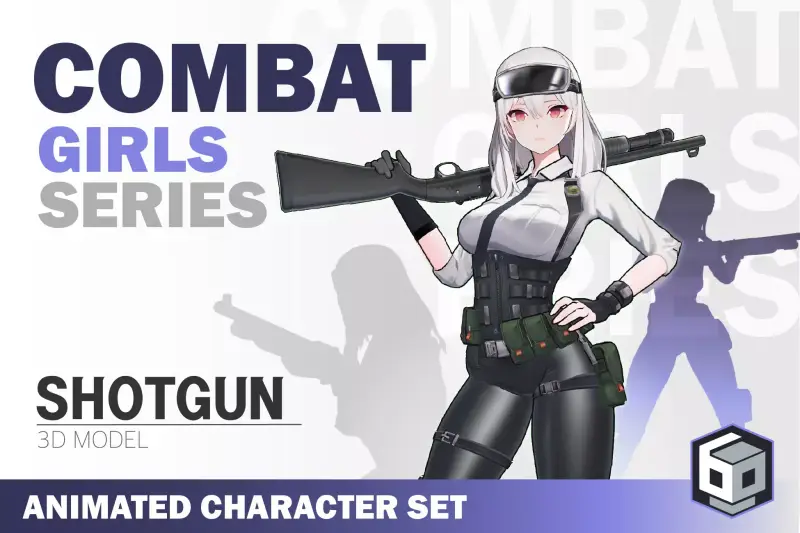
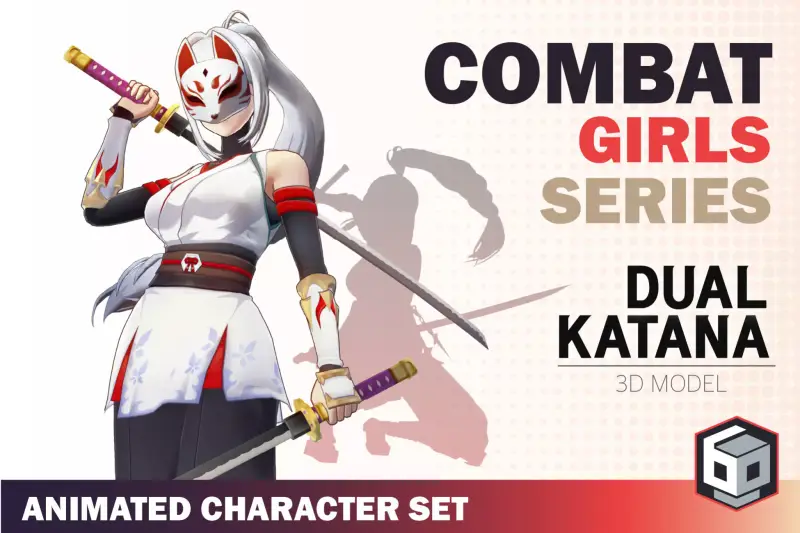
In my experience building third-person action games, character assets either look incredible but lack functional combat setups, or they include decent controllers with poorly optimized 3D geometry. The CombatGirls_GreatSwordCharacterPack sits in a very sweet spot for developers looking to build stylized, fast-paced action titles without sinking weeks into rigging and mesh preparation.
Architecturally, this pack provides rigged 3D female combat characters designed around heavy-weapon archetypes. The meshes utilize a modular material layout, allowing you to easily split character bodies, outfits, and the heavy greatswords into distinct rendering layers. The bone hierarchy is built directly on the standard Humanoid Avatar structure, meaning you can swap in custom animation sets or re-target external clips from Mecanim without tweaking pivot offsets or breaking shoulder deformations.
Core Technical Features & Highlights
Rigging, Animation Hooks, and Shader Tech
The mesh geometry stays well within optimal mobile and desktop poly-counts while retaining crisp, stylized silhouettes. Out of the box, the models feature fully mapped facial blendshapes for basic emotional expressions during combat or dialogue triggers.
- Humanoid Mecanim Rig: Clean bone chains with dedicated weapon socket transforms (`Hand_R_Socket`, `Back_Weapon_Socket`) for dynamic sword unsheathing setups.
- Toon & Outline Shaders: Includes customized Shader Graph shaders built for URP (Universal Render Pipeline), supporting dynamic light rimming, stylized specularity, and adjustable depth-based outlines.
- Texture Channel Packing: Uses packed RGBA masks (Metallic, Smoothness, AO, and Emissive) to keep draw calls low and texture memory light.
- Animation-Ready Setup: Includes base attack animations, idle loops, hit reactions, and locomotion states linked via clean Animator Controllers.
Here is the key takeaway: because the custom shaders rely on Unity's modern SRP light loops, upgrading the visual stack to fit your project's custom lighting environment requires almost zero custom HLSL rewrites.
Ideal Use Cases & Game Genres
Honestly, while the title suggests a specific theme, the technical setup makes this package flexible for several fast-paced game types:
- Anime Action RPGs & Hack-and-Slash: Perfect for projects taking inspiration from games like *Genshin Impact* or *Honkai Impact*, where character readability and exaggerated weapon arcs are crucial.
- Fighting & Arena Games: Great for local or networked arena brawlers requiring distinct character silhouettes and fast visual feedback on attack hitboxes.
- Mobile Action Titles: Low draw call counts and clean LODs make these characters easy to run on mid-spec mobile hardware without sacrificing visual polish.
Quick-Start Unity Setup & Integration Guide
Integrating these character models into an existing third-person framework (such as Kinematic Character Controller or Game Creator) is straightforward. Follow these steps to set up hit detection hooks on the greatsword using Animation Events.
1. Model & Rig Configuration
Ensure the character asset model file is set to Humanoid in the Animation Import Settings. Verify that the weapon bone or socket object is parented under the character's right hand transform.
2. Weapon Trail & Hitbox Trigger Script
Attach the following lightweight controller script to your character GameObject. This script listens for Animation Events placed directly on your attack animation clips to toggle sword colliders and trail renderers on and off precisely during damage frames.
using UnityEngine;

namespace CombatGirls.Setup
{
    public class GreatswordHitboxController : MonoBehaviour
    {
        [Header("Weapon References")]
        [SerializeField] private Collider swordCollider;
        [SerializeField] private TrailRenderer swordTrail;

        private void Awake()
        {
            // Ensure weapon collision is toggled off by default
            if (swordCollider != null)
            {
                swordCollider.enabled = false;
            }

            if (swordTrail != null)
            {
                swordTrail.emitting = false;
            }
        }

        // Triggered via Unity Animation Event at the start of active hit frames
        public void OnAttackHitStart()
        {
            if (swordCollider != null) swordCollider.enabled = true;
            if (swordTrail != null) swordTrail.emitting = true;
        }

        // Triggered via Unity Animation Event at the end of active hit frames
        public void OnAttackHitEnd()
        {
            if (swordCollider != null) swordCollider.enabled = false;
            if (swordTrail != null) swordTrail.emitting = false;
        }
    }
}
Pros & Cons Assessment
- Pros:
- Rigged cleanly to standard Unity Humanoid specifications for effortless animation retargeting.
- Optimized texture maps and clean mesh topology, ideal for mid-range mobile and PC platforms.
- Includes pre-configured URP toon materials with clean outline control.
- Cons:
- Visual styling is strictly anime-inspired, which won't blend into photorealistic or dark fantasy projects.
- Included scripts serve primarily as structural demonstration hooks rather than a fully features modular combat system.
Asset Details & Specifications
| Category | 3D / Characters |
|---|---|
| Latest Version | v1.3.1 |
| File Size | 170.74 MB |
| Added to Platform | August 24, 2026 |
| Views | 5 views |
| Downloads | 4 downloads |
| Favourites | 1 favourites |
| Official Store | Buy Original License on Unity Asset Store → |
| Issue with Package? | Report Broken Link → |