POLYGON - Dungeons Pack - Art by Synty
About POLYGON - Dungeons Pack - Art by Synty – Unity 3D Environment
POLYGON - Dungeons Pack - Art by Synty Unity Asset Overview
As a game developer with over eight years working in Unity, I have built dozens of level prototypes and full production environments. When building low-poly fantasy games, the POLYGON - Dungeons Pack by Synty Studios stands out as one of the most practical asset collections available. It solves a classic problem for indie developers and small studios: establishing a cohesive, polished visual style without sacrificing draw call efficiency or spending months on custom 3D asset pipelines.
Synty builds this environment architecture around a single, highly optimized texture atlas system. Rather than applying individual textures and materials to each mesh, hundreds of unique dungeon pieces—ranging from stone walls and arched doorways to chest props and animated skeletal warriors—share a single palette material. In my experience, this core architectural choice makes batching extremely aggressive, keeping your render state changes down to an absolute minimum even in dense procedural level layouts.
Core Technical Features & Highlights
Under the hood, the pack is built with performance and modularity as top priorities. Whether you are targeting high-end PCs or memory-constrained mobile hardware, the technical specs reflect a developer-first approach.
Key Technical Specifications
- Modular Grid Alignment: Wall sections, floor tiles, columns, and staircase meshes are built against standard unit grids (2x2 and 4x4 meter scaling), making manual snapping or algorithmic placement straightforward.
- Shared Palette Atlas: Nearly all environment props and architecture sample a small gradient texture atlas, enabling massive GPU instancing and static batching performance.
- Rigged Characters & Humanoid Avatars: Included character models (Skeletons, Goblins, Male/Female Heroes) feature clean bone hierarchies fully compatible with Unity's Mecanim Humanoid System.
- Render Pipeline Flexibility: Out of the box, materials are set up for the Built-In Render Pipeline, but they convert to the Universal Render Pipeline (URP) or HDRP with minimal effort using Unity's automated material upgrade utilities.
Here is the key takeaway: because the geometric detail relies on crisp low-poly faceting rather than heavy normal maps, memory usage remains extremely low, leaving plenty of headroom for dynamic lighting, shadow maps, and particle effects.
Ideal Use Cases & Game Genres
While the aesthetic is distinctly low-poly geometric art, the sheer breadth of props and modular architecture makes it flexible across multiple game formats:
- Top-Down Action RPGs: Perfect for Diablo-style camera angles where distinct prop silhouettes and fast visual parsing are crucial for player feedback.
- First-Person Dungeon Crawlers: The wall and ceiling meshes feature solid interior faces and backface culling consideration, making first-person exploration feel immersive without extra geometry overhead.
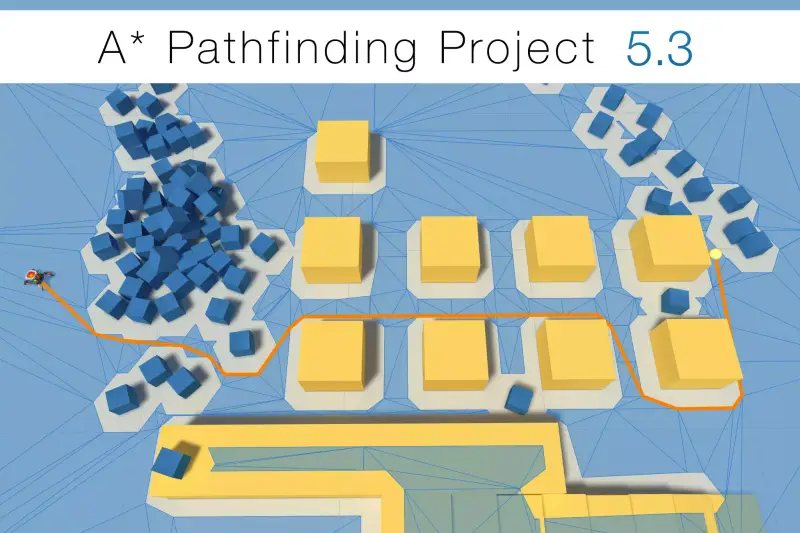
- Turn-Based Strategy & Tactics: Tileable floor pieces align cleanly with grid-based movement pathfinding systems like A* or Unity's
NavMesh. - Mobile Rogue-lites: The low triangle counts and single-atlas material setup allow mobile GPUs to render dozens of dynamic enemies and complex rooms at locked frame rates.
Quick-Start Unity Setup & Integration Guide
Integrating this pack smoothly into your project workflow requires setting up correct snapping rules and configuring room physics. Follow these practical steps to get up and running.
Step 1: Pipeline Material Conversion
If you are working inside a URP project, your imported prefabs may initially appear magenta. To fix this, navigate to Edit > Rendering > Materials > Convert Selected Built-in Materials to URP after selecting the Synty material folder. Because the assets use standard diffuse shaders mapped to a color palette, standard URP Lit or Unlit shaders handle them perfectly.
Step 2: Grid Snapping Configuration
Go to Unity's Grid Snapping settings (top toolbar under the move tool or Edit > Grid and Snap Settings). Set your increment value to 2 meters or 4 meters. This aligns with the wall and floor geometry dimensions, allowing you to quickly assemble modular corridors without light leaks or visual gaps.
Step 3: Scripting Interactive Elements
Many dungeon props, such as doors and chest lids, have separated pivot points designed for mechanical interaction. Here is a production-ready C# component, DungeonDoorController.cs, that handles proximity-based door swinging using Quaternion.Slerp:
using UnityEngine;

namespace DungeonMechanics
{
    [RequireComponent(typeof(BoxCollider))]
    public class DungeonDoorController : MonoBehaviour
    {
        [Header("Door Settings")]
        [SerializeField] private Transform doorHinge;
        [SerializeField] private float openAngle = 90f;
        [SerializeField] private float interactSpeed = 4f;

        private bool isOpen = false;
        private Quaternion closedRotation;
        private Quaternion openRotation;
        private Quaternion targetRotation;

        private void Start()
        {
            if (doorHinge == null)
            {
                doorHinge = transform;
            }

            closedRotation = doorHinge.localRotation;
            openRotation = closedRotation * Quaternion.Euler(0f, openAngle, 0f);
            targetRotation = closedRotation;
        }

        private void Update()
        {
            doorHinge.localRotation = Quaternion.Slerp(
                doorHinge.localRotation,
                targetRotation,
                Time.deltaTime * interactSpeed
            );
        }

        private void OnTriggerEnter(Collider other)
        {
            if (other.CompareTag("Player") && !isOpen)
            {
                isOpen = true;
                targetRotation = openRotation;
            }
        }

        private void OnTriggerExit(Collider other)
        {
            if (other.CompareTag("Player") && isOpen)
            {
                isOpen = false;
                targetRotation = closedRotation;
            }
        }
    }
}
Attach this script to any modular door prefab, mark your trigger collider accordingly, and make sure your player GameObject carries the "Player" tag. The door swing will calculate smoothly in standard local space.
Pros & Cons Assessment
Pros
- Exceptional Draw-Call Efficiency: The single color palette atlas allows Unity to batch vast numbers of environment props into single pass render calls.
- Modular Consistency: Every wall, door, pillar, and trap fits together predictably along standard spatial units.
- Comprehensive Selection: Offers complete dungeon biome sub-themes including dark stone keeps, flooded sewers, skeletal crypts, and treasure rooms.
- Rigged Characters Included: Hero and enemy meshes work right out of the box with standard Mecanim controller setups.
Cons
- Distinct Art Style: The stylized low-poly look is instantly recognizable and hard to combine with realistic or non-faceted stylized assets.
- Texture Editing Limitations: Customizing a single prop's surface detail requires modifying the shared color palette atlas or creating new material UV layouts manually.
Asset Details & Specifications
| Category | 3D / Environments |
|---|---|
| Latest Version | v1.10.1 (2 tracked releases) |
| File Size | 156.36 MB |
| Added to Platform | April 29, 2026 |
| Views | 5 views |
| Downloads | 4 downloads |
| Favourites | 1 favourites |
| Official Store | Buy Original License on Unity Asset Store → |
| Issue with Package? | Report Broken Link → |