Senses Pack for Behavior Designer Pro
About Senses Pack for Behavior Designer Pro – Unity Editor Tool & Plugin
Senses Pack for Behavior Designer Pro Unity Asset Overview
In my experience building combat AI and stealth mechanics in Unity, writing perception systems from scratch is one of those tasks that seems straightforward until you hit scaling issues. Performing continuous Physics.OverlapSphere calls and multiple raycasts per character frame quickly tanks CPU frame budgets when you have dozens of agents searching for target targets simultaneously.
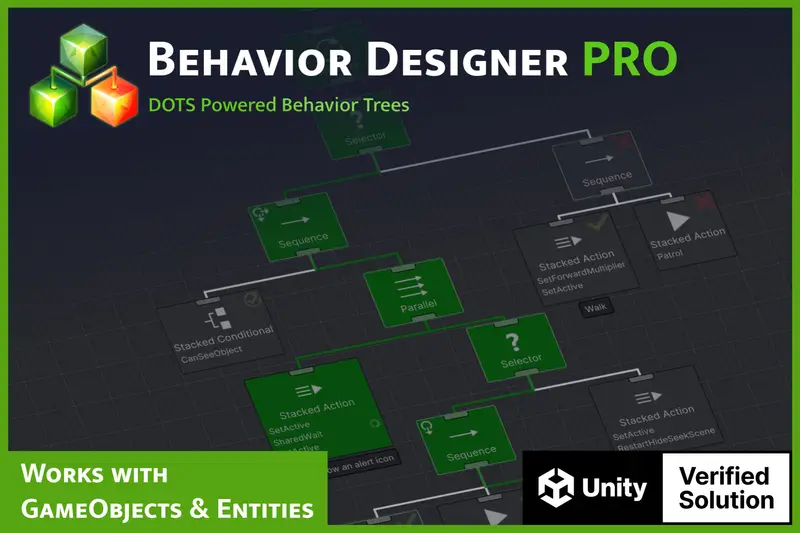
The Senses Pack for Behavior Designer Pro tackles this specific bottleneck. It acts as an extension module for Opsive’s Behavior Designer framework, adding modular sensory capabilities—such as Vision, Hearing, and Touch—directly into your existing behavior trees as conditional nodes and tasks. Architecturally, it decouples target detection logic from unit behavior logic. Instead of hardcoding sight checks inside state machines, the Senses Pack provides node-based spatial partitioning, angle testing, line-of-sight (LOS) occlusion checks, and noise event listeners that pipe clean target data directly into your tree variables.
Core Technical Features & Highlights
What makes this extension practical for production environments is how it balances sensory accuracy with runtime optimization. Here is a breakdown of the core systems included under the hood:
Visual Perception (Field of View & Occlusion)
The vision system evaluates targets based on horizontal and vertical Field of View (FOV) angles, maximum sight distances, and line-of-sight raycasting. Rather than evaluating a single pivot point—which often results in false negatives when an enemy's feet are hidden behind low cover—the sensor allows multi-point LOS testing (e.g., checking target head, center, and feet origins).
Auditory Perception & Noise Event Dispatching
The hearing sensor operates via sound event listeners rather than expensive continuous distance polling. Objects capable of making noise emit spatial events with a sound radius and volume multiplier. AI agents equipped with the CanHearObject conditional task process these events based on obstacle attenuation and distance metrics.
Technical Performance Features
- Staggered Update Rates: Per-sensor interval settings allow you to offset perception ticks (e.g., running vision checks every 0.1 seconds instead of every frame), significantly cutting down CPU overhead.
- Layer Masking & Tag Filtering: Precision targeting filters eliminate unnecessary physics checks on ambient scene geometry.
- Debug Gizmos & Perception Visualizers: Scene-view visual debug overlays display active sight cones, hearing radii, and current target loss timers directly in the editor viewport.
- 2D and 3D Native Support: Ships with parallel components for
PhysicsandPhysics2D, ensuring compatibility regardless of space dimension.
Ideal Use Cases & Game Genres
Honestly, any title requiring reactive enemy AI benefits from this pack, but certain genres gain an immediate advantage during rapid prototyping:
- Stealth Action Games: Crucial for establishing guard awareness states (Unaware, Suspicious, Alert). The vision cones and noise attenuation mechanics map directly to classic stealth gameplay loops.
- Survival Horror: Monsters tracking player footsteps in total darkness rely heavily on the hearing node configurations and sound-location memory variables.
- Tactical FPS / Squad AI: Enemy units can communicate detected target positions across shared tree variables, enabling coordinated flanking and cover behavior.
- Isometric Action RPGs: Allows mob packs to react when the player steps within visual proximity or draws a weapon without requiring complex trigger volumes across large environments.
Quick-Start Unity Setup & Integration Guide
Integrating the Senses Pack into an active Behavior Designer setup is straightforward. Here is the step-by-step workflow I follow to get an agent detecting targets within minutes.
Step 1: Assign Sensors to the Agent
Attach the primary BehaviorTree component to your character prefab. Next, ensure your target object (e.g., the Player) is assigned to a distinct layer, such as Player or Target.
Step 2: Configure the Can See Object Task
Inside the Behavior Designer Editor, add the Can See Object conditional task to your tree structure. Configure the task properties in the inspector:
- Set Target Layer Mask to
Player. - Set Field of View Angle to
90. - Set View Distance to
20. - Store the detected target in a shared variable:
Returned Object->targetGameObject.
Step 3: Triggering Audio Events Programmatically
To use auditory perception, game events (like gunshots or footstep impacts) need to emit noise. Here is a clean C# script you can attach to noise-making objects to broadcast events to nearby listeners:
using UnityEngine;

namespace Game.AI.Perception
{
    public class NoiseEmitter : MonoBehaviour
    {
        [Header("Audio Perception Settings")]
        [SerializeField] private float baseNoiseRadius = 15f;
        [SerializeField] private LayerMask perceptionLayerMask;

        /// <summary>
        /// Call this method when an action (footstep, gun shot, collision) creates a sound.
        /// </summary>
        public void TriggerNoiseEvent(Vector3 location, float volumeMultiplier = 1.0f)
        {
            float calculatedRadius = baseNoiseRadius * volumeMultiplier;
            Collider[] detectedListeners = Physics.OverlapSphere(location, calculatedRadius, perceptionLayerMask);

            for (int i = 0; i < detectedListeners.Length; i++)
            {
                // Verify if the listener object contains a receiver component
                if (detectedListeners[i].TryGetComponent<IAudioListenerTarget>(out var listener))
                {
                    listener.OnAudioHeard(location, calculatedRadius);
                }
            }
        }

        private void OnDrawGizmosSelected()
        {
            Gizmos.color = new Color(1f, 0.92f, 0.01f, 0.4f);
            Gizmos.DrawWireSphere(transform.position, baseNoiseRadius);
        }
    }

    public interface IAudioListenerTarget
    {
        void OnAudioHeard(Vector3 noiseOrigin, float loudness);
    }
}
Pros & Cons Assessment
- Pros:
- Native Workflow Integration: Plugs directly into existing Behavior Designer workflows without requiring secondary visual script graphs.
- Low CPU Overhead: Granular update intervals prevent physics frame spikes across large enemy populations.
- Dual-Dimension Support: Fully supports both 3D physics and 2D physics out of the box.
- Visual Debugging Tools: Clear view cones and target vectors in the Unity Scene View make troubleshooting line-of-sight bugs fast.
- Cons:
- Hard Dependency: Requires Behavior Designer Pro to function; it cannot run as a standalone perception framework.
- Documentation Gaps: Advanced setups (like custom sensory modalities) require reading through the underlying C# classes rather than relying solely on manual pages.
Asset Details & Specifications
| Category | Tools / Behavior AI |
|---|---|
| Latest Version | v1.0.6p1 (2 tracked releases) |
| File Size | 4.78 MB |
| Added to Platform | May 31, 2026 |
| Views | 10 views |
| Downloads | 4 downloads |
| Favourites | 3 favourites |
| Official Store | Buy Original License on Unity Asset Store → |
| Issue with Package? | Report Broken Link → |