STORY - Tree Pack
About STORY - Tree Pack – Unity 3D Asset
STORY - Tree Pack Unity Asset Overview
In my 8+ years building Unity projects, vegetation rendering has consistently been one of the biggest bottlenecks for client performance. Striking a balance between dense, expressive foliage and stable frame rates is notoriously tricky—especially when working with stylized art directions that demand custom vertex animation and soft lighting models. The STORY - Tree Pack addresses this exact challenge, offering a production-ready suite of low-to-mid poly stylized trees, bushes, and interactive foliage shaders designed for modern Unity pipelines.
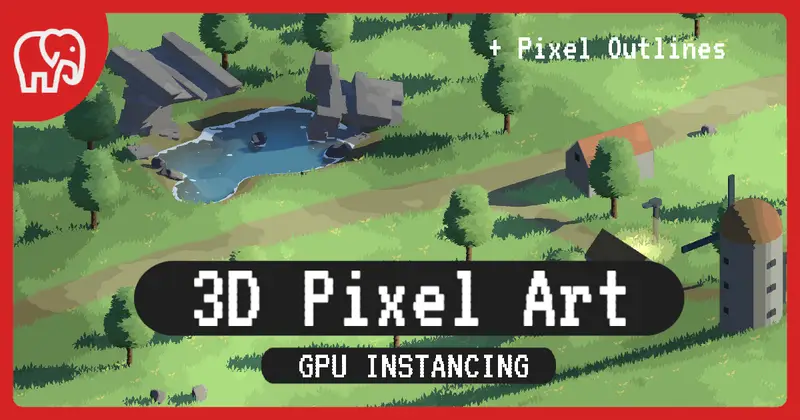
Architecturally, the package relies on customized Shader Graph shaders combined with a lightweight C# controller infrastructure. Instead of baking complex skeletal animations into meshes, the tree movement is driven entirely via GPU vertex displacement. This design keeps memory bandwidth low and allows thousands of foliage instances to render concurrently using Unity's GPU Instancing and SRP Batcher.
Core Technical Features & Highlights
What sets this collection apart from typical mesh packs is the depth of its shading pipeline and material parameters. Here is a breakdown of the key technical capabilities under the hood:
- Custom Vertex Wind Shaders: Foliage leaves and branches react dynamically to global wind vectors using multi-layered sine wave displacements and noise textures baked into vertex colors.
- Subsurface Scattering (SSS) Simulation: Includes custom lighting nodes that simulate fake translucency, allowing sunlight to pass naturally through leaf canopies without heavy raymarched light transport costs.
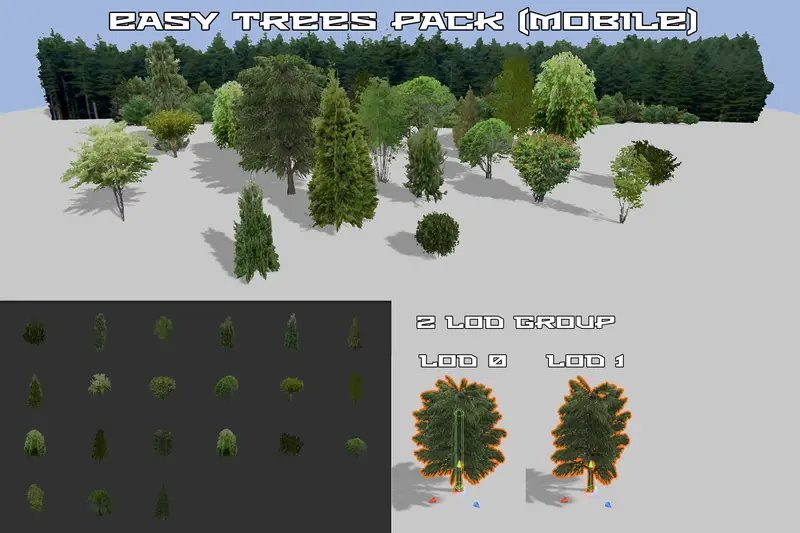
- Multi-LOD Hierarchy: Every tree pre-defines 3 to 4 manually tuned LOD (Level of Detail) levels alongside custom billboard meshes, reducing polygon counts dramatically at distance.
- Cross-Pipeline Compatibility: Built with dedicated shader variants for the Universal Render Pipeline (URP) and High Definition Render Pipeline (HDRP), as well as classic Built-in Render Pipeline setups.
- Global Foliage Controller: Features a global C# script system that propagates wind velocity, gust turbulence, and seasonal tint colors across all tree material instances in real time.
Ideal Use Cases & Game Genres
In my experience, the visual style of the STORY - Tree Pack leans heavily into vibrant, narrative-driven, and stylized aesthetic directions. However, its flexible shader configurations allow it to fit nicely into several specific production setups:
- Stylized Open-World RPGs: Excellent for filling expansive terrains where draw distance management and batching are critical for high frame rates.
- Cozy Farming & Survival Sims: Perfect for games requiring dynamic atmosphere changes, interactable foliage, and seasonal leaf recoloring.
- Third-Person Action/Adventure Games: High visual fidelity close-up foliage with natural transmission makes camera colliders and forest environments look rich.
- Stylized Battle Royale or FPS Games: Clear LOD transitions and low memory usage ensure competitive frame stability across varying desktop hardware profiles.
Quick-Start Unity Setup & Integration Guide
Setting up the pack in an existing URP or HDRP project is straightforward, provided you properly initialize the global shader properties. Here is the step-by-step process I follow when integrating these assets into a project build:
1. Importing & Shader Unpacking
After bringing the assets into your project, navigate to the Assets/STORY/Shaders/ directory. If you are using URP or HDRP, execute the included material converter script or unpack the dedicated Render Pipeline package located inside the pipeline configuration folder to ensure all materials map to the correct SRP target.
2. Configuring Unity Terrain Foliage
If you plan to paint these trees using Unity's native Terrain component, drag the low-LOD versions directly into the Terrain Tree Painter. Make sure to tick Enable Instancing on your tree prototypes to allow the SRP Batcher to merge render calls efficiently.
3. Runtime Wind Control via C#
To control the global wind direction and turbulence dynamically during gameplay (e.g., triggering a storm event), attach the following custom controller to a manager object in your scene:
using UnityEngine;

namespace StoryAssetTools
{
    [ExecuteAlways]
    public class GlobalWindController : MonoBehaviour
    {
        [Header("Wind Vectors")]
        [SerializeField] private Vector3 windDirection = new Vector3(1f, 0f, 0.5f);
        [SerializeField, Range(0f, 5f)] private float windSpeed = 1.5f;
        [SerializeField, Range(0f, 2f)] private float gustTurbulence = 0.8f;

        // Global Shader Property IDs
        private static readonly int GlobalWindDirID = Shader.PropertyToID("_GlobalWindDirection");
        private static readonly int GlobalWindSpeedID = Shader.PropertyToID("_GlobalWindSpeed");
        private static readonly int GlobalTurbulenceID = Shader.PropertyToID("_GlobalWindTurbulence");

        private void Update()
        {
            ApplyWindParameters();
        }

        private void ApplyWindParameters()
        {
            Vector3 normalizedWind = windDirection.normalized * windSpeed;

            // Push values directly to global shader memory
            Shader.SetGlobalVector(GlobalWindDirID, normalizedWind);
            Shader.SetGlobalFloat(GlobalWindSpeedID, windSpeed);
            Shader.SetGlobalFloat(GlobalTurbulenceID, gustTurbulence);
        }

        public void TriggerStorm(float stormSpeed, float turbulenceIntensity)
        {
            windSpeed = stormSpeed;
            gustTurbulence = turbulenceIntensity;
            ApplyWindParameters();
        }
    }
}
Pros & Cons Assessment
Here is my honest technical breakdown of where this tree pack shines and where you might need to exercise caution during production:
- Pros:
- Exceptional Shader Quality: Foliage wind response looks organic without the classic "wobbly mesh" artifacts common in cheaper assets.
- Performance Optimization: Excellent out-of-the-box LOD management and minimal draw call footprint via GPU Instancing.
- Clean Hierarchy: Prefabs are neatly organized, pivot points are properly set at root bases, and colliders are pre-configured.
- Cons:
- Stylized Aesthetic Constraint: The meshes and textures are distinctly stylized; they will not easily blend into photorealistic PBR environments.
- Mobile Hardware Tuning Needed: While mobile-friendly overall, target devices on low-end mobile hardware will require aggressive LOD bias tweaking in Quality Settings to prevent high vertex overhead.
Asset Details & Specifications
| Category | 3D / Vegetation |
|---|---|
| Latest Version | v1.3 |
| File Size | 38.25 MB |
| Added to Platform | February 14, 2026 |
| Views | 1 views |
| Downloads | 0 downloads |
| Favourites | 0 favourites |
| Official Store | Buy Original License on Unity Asset Store → |
| Issue with Package? | Report Broken Link → |