vFolders 2
About vFolders 2 – Unity Editor Tool & Plugin
Unity Folder Organization Tool
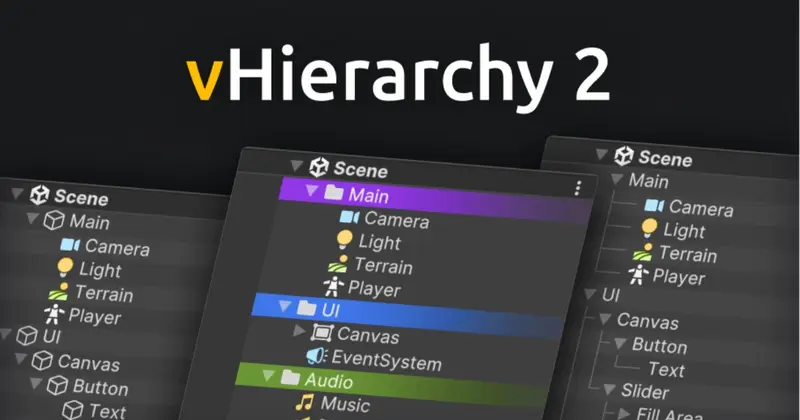
vFolders 2 adds folder navigation and visual organization features to the Unity Project window. It provides a navigation bar for bookmarked folders and folder history, custom icons and colors, automatic folder icons based on contents, a content minimap, and two-line asset names for displaying longer names without truncation.
Project Organization Features
Folders can be highlighted with custom icons and colors, while automatic icons can assign visuals according to the contents of each folder. The content minimap provides a visual indication of the asset types contained within a folder. The navigation bar supports folder bookmarks as well as back and forward movement through folder history.
The customizable palette includes more than 1000 built-in icons, supports adding custom icons, allows color adjustments, and can be exported for use in other projects. Appearance options include hierarchy lines, minimal mode, background colors, zebra striping, and the content minimap.
Editor Shortcuts and API
Folder navigation can also be controlled with keyboard shortcuts. Pressing E expands or collapses a folder, Shift-E isolates a folder, and Ctrl-Shift-E collapses all folders.
A simple API allows folder icons and colors to be assigned from code and supports rules for applying them automatically. This makes the organization system applicable both to manual editor customization and projects that need repeatable folder decoration.
Use Cases
- Organizing projects with many folders through custom colors, icons, bookmarks, and folder-history navigation.
- Improving visibility of folder contents with automatic icons and the content minimap.
- Handling projects with long asset names using two-line names instead of truncated labels.
- Standardizing folder appearance across projects by exporting customized palettes.
Asset Details & Specifications
| Category | Tools / Utilities |
|---|---|
| Latest Version | v2.1.18 (3 tracked releases) |
| File Size | 152.92 KB |
| Added to Platform | June 8, 2026 |
| Views | 5 views |
| Downloads | 4 downloads |
| Favourites | 0 favourites |
| Official Store | Buy Original License on Unity Asset Store → |
| Issue with Package? | Report Broken Link → |