Tactical Pack for Behavior Designer Pro
About Tactical Pack for Behavior Designer Pro – Unity Editor Tool & Plugin
Tactical Pack for Behavior Designer Pro Unity Asset Overview
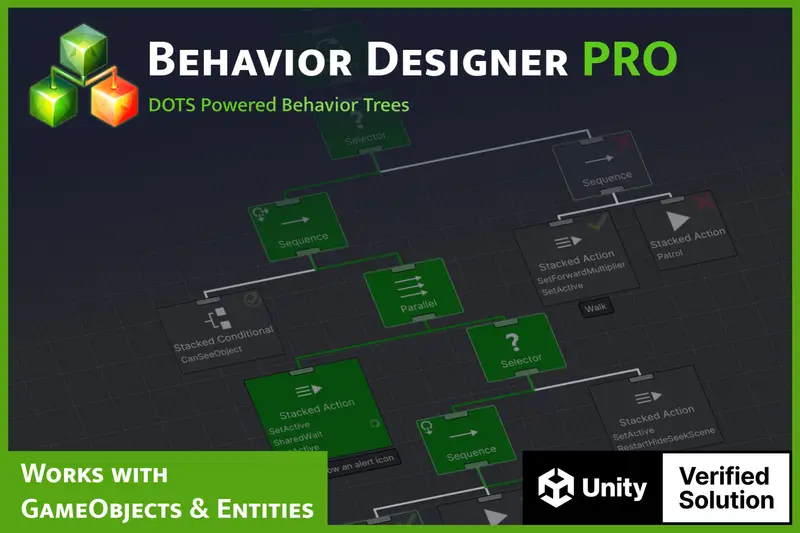
In my 8+ years building combat systems in Unity, writing believable enemy AI has always been one of the biggest time sinks. Building cover evaluation, flank calculation, and squad communication from scratch usually ends up taking months of iteration. The Tactical Pack for Behavior Designer Pro is designed to solve this exact bottleneck by extending Opsive's core behavior tree framework with production-ready tactical combat nodes.
Architecturally, this asset acts as an extension layer on top of Behavior Designer Pro. It relies on Unity's NavMesh engine for spatial queries while layering specialized decision-making tasks over the behavior tree context. Instead of forcing you to build custom raycasting routines for cover validation or manual coordinate math for flanking paths, the pack exposes pre-built conditional and action tasks that handle line-of-sight checks, suppression states, and dynamic threat positioning natively within your existing behavior trees.
Core Technical Features & Highlights
What makes this pack particularly useful for production environments is how it handles spatial awareness and performance. Here is a breakdown of the core technical features that stand out during development:
- Dynamic Cover Evaluation: Uses directional raycasts and
NavMesh.SamplePositionchecks to detect valid cover points dynamically, avoiding the need to manually place cover nodes throughout your levels. - Flanking and Positioning Tasks: Calculates offset paths relative to the player's facing direction and current visual horizon, allowing enemies to circle around targets intelligently.
- Squad and Group Management: Features a shared
TacticalGroupsystem that allows multiple AI agents to communicate target locations, coordinate suppression fire, and avoid crowding the same cover spot. - Optimized Raycasting & Allocation: Built to minimize garbage collection spikes during high-frequency line-of-sight (LOS) calculations and target scanning routines.
- Rendering & Pipeline Agnostic: Because the pack focuses exclusively on logic and behavior trees, it operates seamlessly across URP, HDRP, and the Built-in Render Pipeline.
Ideal Use Cases & Game Genres
Honestly, if your game requires humanoid or squad-based combat AI, this asset saves hundreds of hours. It fits particularly well into specific genres:
Tactical & Cover-Based Shooters
If you are building a third-person or first-person tactical shooter, the cover-seeking, blind-fire, and flank routines give enemies realistic combat discipline out of the box.
Stealth Action Games
The pack's search patterns, investigation tasks, and group alert systems make it ideal for stealth titles where guards need to switch dynamically between alert, searching, and aggressive tactical states.
Isometric Strategy & Squad-Based RPGs
For top-down tactical games or squad RPGs, the group coordinator allows small squads to move in formation, retreat when health thresholds drop, and request backup from nearby friendly units.
Quick-Start Unity Setup & Integration Guide
Setting up the pack requires a pre-configured NavMesh surface and an active instance of Behavior Designer Pro. Here is how to get a basic tactical enemy up and running in your project.
Step 1: Agent & Component Configuration
Attach a standard NavMeshAgent component alongside a BehaviorTree component on your enemy prefab. Ensure your scene geometry is baked onto the NavMesh static layer.
Step 2: Assigning the Tactical Group Manager
Place an empty GameObject in your scene and attach the TacticalGroup component. This acts as the central coordinator for shared target awareness across all squad members.
Step 3: Custom Initialization Script
Here is a lightweight script example illustrating how to programmatically initialize tactical variables and pass runtime values into your BehaviorTree component:
using UnityEngine;
using UnityEngine.AI;
using BehaviorDesigner.Runtime;

[RequireComponent(typeof(BehaviorTree))]
[RequireComponent(typeof(NavMeshAgent))]
public class TacticalAgentInitializer : MonoBehaviour
{
    private BehaviorTree behaviorTree;
    private NavMeshAgent navAgent;

    [Header("Tactical Parameters")]
    [SerializeField] private float combatRadius = 20f;
    [SerializeField] private LayerMask coverLayerMask;
    [SerializeField] private Transform initialTarget;

    private void Awake()
    {
        navAgent = GetComponent<NavMeshAgent>();
        behaviorTree = GetComponent<BehaviorTree>();

        // Pass settings directly into the Behavior Tree variables
        if (behaviorTree != null)
        {
            behaviorTree.SetVariableValue("CombatRadius", combatRadius);
            behaviorTree.SetVariableValue("CoverMask", coverLayerMask);

            if (initialTarget != null)
            {
                behaviorTree.SetVariableValue("Target", initialTarget.gameObject);
            }
        }
    }

    public void UpdateTarget(GameObject newTarget)
    {
        if (behaviorTree != null)
        {
            behaviorTree.SetVariableValue("Target", newTarget);
        }
    }
}
Pros & Cons Assessment
Here is my honest breakdown of where this pack excels and where you might need to handle custom extensions yourself:
- Pros:
- Eliminates the hassle of writing complex vector math for flanking and cover finding from scratch.
- Integrates cleanly into existing Behavior Designer workflows without breaking custom nodes.
- Group manager handles target distribution well, preventing enemies from stacking on top of each other.
- Extremely easy to inspect and debug visually inside the Behavior Designer graph window.
- Cons:
- Strict dependency on Behavior Designer Pro—it cannot be used as a standalone system.
- Dynamic cover detection can occasionally sample invalid positions on complex, multi-tiered terrain without tuned colliders.
Frequently Asked Questions (FAQ)
Can this pack be used on mobile platforms without causing frame drops?
Yes. However, in my experience, running raycast-heavy cover evaluation on dozens of agents simultaneously can stress mobile CPUs. To keep performance locked at 60 FPS, throttle the tick rate of your tactical behavior trees or use spatial partition techniques to limit active AI updates to nearby enemies.
Does this asset include custom 3D character models and animations?
While the package comes with basic helper scripts, sample scenes, and temporary prefabs for demonstration purposes, it focuses primarily on AI logic systems. You will want to link the action nodes to your own character controller and animation state machine (such as Mecanim or Opsive’s Ultimate Character Controller).
What is the licensing policy for evaluating assets from this repository?
Assets provided on this platform are strictly intended for educational, testing, and evaluation purposes only—never for commercial production releases. If you decide to ship a commercial title using these tools, please support the original creators by purchasing an official production license directly from the Unity Asset Store.
Asset Details & Specifications
| Category | Tools / Behavior AI |
|---|---|
| Latest Version | v2.0.6 |
| File Size | 1.41 MB |
| Added to Platform | May 31, 2026 |
| Views | 9 views |
| Downloads | 2 downloads |
| Favourites | 2 favourites |
| Official Store | Buy Original License on Unity Asset Store → |
| Issue with Package? | Report Broken Link → |