TwinBlades Animset Base
About TwinBlades Animset Base – Unity 3D Asset
TwinBlades Animset Base Unity Asset Overview
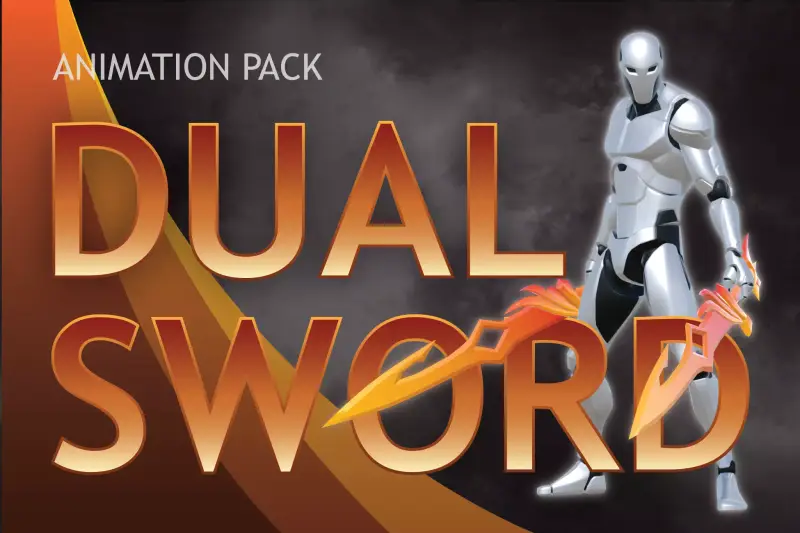
In action-oriented game design, dual-wield combat is notoriously difficult to get right. If keyframe weight transfers feel off or weapon trajectory arcs lack weight, your combat system will feel floaty and unresponsive. The TwinBlades Animset Base addresses this specific design bottleneck by delivering a cohesive set of humanoid combat animations built specifically for dual-blade and dagger-style weapon setups.
Architecturally, this asset relies entirely on Unity's Mecanim Humanoid animation system. Instead of locking you into a rigid, proprietary character controller, it provides raw clip data mapped to standard humanoid bone hierarchies. In my experience, this asset works best when integrated into a state-driven architecture using Unity's Animator component, where combat transitions are governed by combo buffer logic, trigger parameters, and root motion calculations.
The package provides both Root Motion and In-Place motion clip variations. This flexibility allows developers to either let animation data drive world-space displacement or handle player velocity explicitly via custom physics scripts using CharacterController or Rigidbody components.
Core Technical Features & Highlights
Evaluating animation packs from a technical standpoint requires looking beyond visual appeal; keyframe density, telegraph clarity, and blend-tree stability matter most. Here is a breakdown of the key features included in this set:
- Mecanim Humanoid Rig Compatibility: Fully retargetable to any standard Unity Humanoid avatar, from realistic AAA scans to stylized low-poly meshes.
- Dual Motion Variants: Includes both Root Motion clips for realistic physics displacement and In-Place clips for precise script-driven movement controls.
- Structured Attack Combos: Pre-built multi-hit strike sequences designed with distinct wind-up (telegraph), active hit, and recovery phases.
- Utility Stances & Transitions: Sheath, draw, lock-on strafes, dodges, parries, hit reactions, and death animations designed to maintain pose consistency.
- Clean Trajectory Curves: Smooth weapon arcs that make generating active hitboxes via raycasts, shape casts, or trigger colliders straightforward.
Frame-Accurate Hitbox Syncing
One detail I appreciate is the clarity of attack keyframes. The swing arcs feature crisp acceleration frames, making it simple to map Animation Events or enable raycast hitboxes during the exact frame window where the blades deal damage. This frame precision minimizes phantom hits and ensures fair player feedback during high-stakes combat.
Ideal Use Cases & Game Genres
The aggression and speed embedded in these animations naturally align with fast-paced, melee-focused gameplay loops. In my testing, this set works exceptionally well across several specific genres:
- Third-Person Action RPGs & Souls-likes: Excellent for rogue, assassin, or dexterity-based dual-wield character classes requiring rapid attack loops and tight dodge mechanics.
- Character Action / Hack-and-Slash Games: The snappy combo chaining makes it ideal for games that reward style meters, aerial juggles, and quick weapon switching.
- Isometric / Top-Down ARPGs: Strong, readable poses ensure that swing arcs remain distinct even when viewed from elevated camera angles.
- Mobile Combat Titles: Clean motion paths allow keyframes to be simplified or compressed for low-memory target devices without losing attack readability.
Quick-Start Unity Setup & Integration Guide
Getting this animset working inside your project requires mapping clips into an Animator Controller and driving combat transitions through script logic. Here is a practical setup walkthrough.
Step 1: Rig Retargeting Check
After importing the asset, ensure your target character model's import settings are configured correctly:
1. Select your target character model file in the Project window.
2. Navigate to the Rig tab in the Inspector.
3. Set Animation Type to Humanoid and verify that bone mappings are error-free in the Configure... menu.
Step 2: C# Attack Buffer Controller
To handle snappy combo chaining without animation visual glitches, use an input buffer script. The C# script below manages light attack combo sequencing, trigger parameters, and state timing for dual-blade attacks:
using UnityEngine;

[RequireComponent(typeof(Animator))]
public class TwinBladeCombatHandler : MonoBehaviour
{
    private Animator animator;
    private int comboStep = 0;
    private float lastAttackTime = 0f;
    [SerializeField] private float comboResetWindow = 1.2f;

    private static readonly int AttackTrigger = Animator.StringToHash("Attack");
    private static readonly int ComboStepParam = Animator.StringToHash("ComboStep");
    private static readonly int IsCombatReady = Animator.StringToHash("InCombat");

    private void Awake()
    {
        animator = GetComponent<Animator>();
    }

    private void Update()
    {
        // Reset combo count if player pauses input too long
        if (Time.time - lastAttackTime > comboResetWindow && comboStep > 0)
        {
            ResetCombo();
        }

        if (Input.GetButtonDown("Fire1"))
        {
            ExecuteAttack();
        }
    }

    private void ExecuteAttack()
    {
        lastAttackTime = Time.time;
        comboStep++;

        if (comboStep > 3) // Assuming a 3-part attack combo
        {
            comboStep = 1;
        }

        animator.SetBool(IsCombatReady, true);
        animator.SetInteger(ComboStepParam, comboStep);
        animator.SetTrigger(AttackTrigger);
    }

    public void ResetCombo()
    {
        comboStep = 0;
        animator.SetInteger(ComboStepParam, 0);
        animator.SetBool(IsCombatReady, false);
    }
}
Step 3: Setting Up Animation Events for Weapon Colliders
Instead of leaving attack colliders active constantly, trigger them during specific animation frames:
1. Open the attack animation clip in the Project window and enter the Animation tab.
2. Scroll down to the Events foldout.
3. Add an event at the start of the swing phase calling a method like EnableBladeColliders().
4. Add a second event at the end of the follow-through phase calling DisableBladeColliders().
Pros & Cons Assessment
- Pros:
- High Physicality: Attacks demonstrate real momentum, weight transfer, and readable telegraphs.
- Both Motion Modes Included: Features both in-place clips for programmatic controllers and root motion for realistic physical translation.
- Clean Retargeting: Scales smoothly across varied humanoid rig proportions without major wrist or ankle distortion.
- Modular Mechanics: Includes essential utility animations like dodges, draws, and hit-reactions alongside main combos.
- Cons:
- Requires Input Buffering Scripting: Out of the box, it provides animation assets rather than a plug-and-play combat controller system.
- Fixed Dual-Wield Style: Primarily tailored for lightweight twin blades; may require timing adjustments if applied to heavy dual axes or giant hammers.
Asset Details & Specifications
| Category | 3D / Animations |
|---|---|
| Latest Version | v2.0 |
| File Size | 13.80 MB |
| Added to Platform | February 10, 2026 |
| Views | 4 views |
| Downloads | 3 downloads |
| Favourites | 0 favourites |
| Issue with Package? | Report Broken Link → |