Biomes and Presets for MicroVerse
About Biomes and Presets for MicroVerse – Unity Editor Tool & Plugin
Biomes and Presets for MicroVerse Unity Asset Overview
If you have worked with Unity terrain for any extended period, you know the traditional workflow can be a frustrating bottleneck. Destructive heightmap sculpting, baking splatmaps by hand, and re-instantiating thousands of foliage game objects every time you want to alter a valley or shift a ridge can bring project momentum to a halt. In my experience, Jason Booth's MicroVerse ecosystem fundamentally shifts this dynamic by offering a non-destructive, GPU-evaluated terrain pipeline. The Biomes and Presets for MicroVerse asset serves as an acceleration layer built right on top of that core architecture.
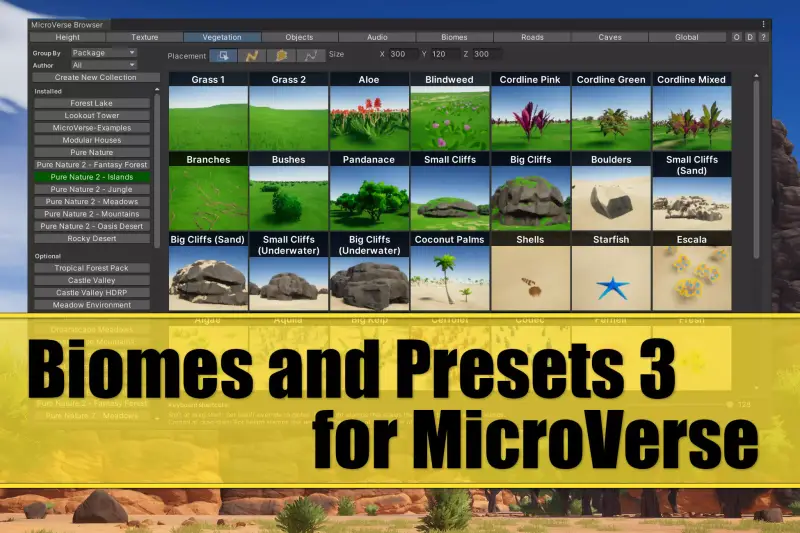
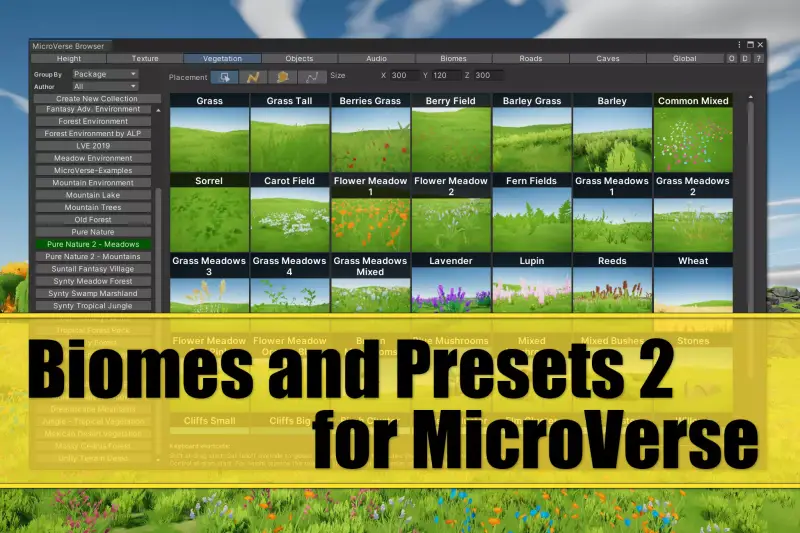
Instead of building terrain texture layers, splat alpha rules, curve controls, and detail placement stamps from scratch, this asset supplies production-ready biome definitions and low-poly visual assets tailored for fast scene construction. The key takeaway here is modularity: every biome acts as a self-contained layer or stamp proxy that feeds directly into MicroVerse's shader-driven evaluation stack. Render pipeline changes are straightforward as well, with built-in shader variants that handle target setups in both the Universal Render Pipeline (URP) and the High Definition Render Pipeline (HDRP) without breaking texture references or height blending.
Core Technical Features & Highlights
Architecturally, this preset collection relies on MicroVerse's compute shader backbone while providing low-draw-call art assets and targeted biome configs. Let's look at the technical elements that stand out during active scene generation:
- Non-Destructive GPU Blending: Biomes do not overwrite raw heightmap arrays permanently. Height ranges, splat distributions, and detail density rules calculate dynamically in GPU memory, letting you non-destructively tweak slope cutoffs or snowlines on the fly.
- URP & HDRP Shader Graph Integration: Custom surface shaders and low-poly material definitions automatically map across pipelines, preventing black-textured assets or broken lighting channels when switching SRP targets.
- Height & Slope Rule Stacking: Each biome preset includes pre-configured noise patterns, rock-slope falloffs, and curvature splatting. You can quickly map grass to flat valleys and exposed rock faces to steep cliffs automatically.
- Optimized Low-Poly Meshes: Included trees, rocks, and foliage proxies use unified color palettes and optimized vertex counts. This drastically limits vertex shader strain during broad terrain rendering.
- Instanced Detail Spawning: Foliage and scatter elements utilize Unity's GPU Instancing capabilities, allowing millions of low-poly blades or scatter rocks to render with minimal draw call overhead.
GPU Compute Evaluation Pipeline
Rather than burning execution time on the CPU via standard C# loops over terrain pixels, every biome stamp in this preset pack operates via compute shaders. When you shift a biome proxy transform in the hierarchy, the terrain updates its height, normals, and splat maps rapidly. Honestly, this iteration speed changes how you approach environment iteration entirely.
Ideal Use Cases & Game Genres
While low-poly asset packs are abundant, finding ones natively structured for dynamic terrain generation is rare. In my experience, this asset is exceptionally suited for specific gameplay styles:
- Open-World Stylized RPGs: Build massive continental landmasses with diverse climate zones (alpine forests, arid deserts, grassy plains) without losing control over low-poly stylistic consistency.
- Mobile & Cross-Platform Racing: Create sprawling low-poly tracks over expansive terrains while keeping vertex counts light and performance rock-solid across mobile GPUs.
- First-Person & Third-Person Survival Crafts: Construct procedurally structured island maps or static open worlds where distinct biome boundaries dictate resource gathering regions.
- Hyper-Casual & Prototype Buildouts: Rapidly assemble greybox or final stylized environments in hours rather than weeks to test core gameplay loops.
Quick-Start Unity Setup & Integration Guide
Setting up this biome system requires having the core MicroVerse framework active in your project. Follow this step-by-step developer guide to get your first biome-driven terrain running smooth:
Step 1: Pipeline Prep & Package Import
Verify that your project is running Unity 2021.3 LTS or higher with either URP or HDRP properly configured. Ensure the base MicroVerse asset is imported into your Assets/ directory before bringing in this Biomes and Presets package.
Step 2: Terrain Initialization
Select your standard Unity Terrain game object in the hierarchy and add the MicroVerse component. MicroVerse takes control of the terrain heightmap and splatmap evaluation pipeline.
Step 3: Instantiating Biome Presets
Navigate to Assets/MicroVerse/Presets/Biomes. Drag a pre-configured biome prefab (e.g., Biome_LowPoly_Forest.prefab) into your scene hierarchy under the main MicroVerse object or directly onto the terrain surface.
Step 4: Runtime Biome Management via C#
If you need to dynamically toggle biomes or trigger terrain regeneration at runtime or via custom editor scripts, you can hook into the MicroVerse API directly. Here is a practical C# implementation showing how to toggle biomes programmatically:
using UnityEngine;
using JBooth.MicroVerseCore;

namespace GameDev.TerrainTools
{
    public class BiomeManager : MonoBehaviour
    {
        [Header("MicroVerse Reference")]
        [SerializeField] private MicroVerse _microVerseController;

        [Header("Biome Presets")]
        [SerializeField] private GameObject _desertBiomeObject;
        [SerializeField] private GameObject _forestBiomeObject;

        public void SwitchToForestBiome()
        {
            if (_microVerseController == null)
            {
                Debug.LogError("[BiomeManager] MicroVerse controller reference missing!");
                return;
            }

            // Toggle biome preset hierarchy game objects
            if (_desertBiomeObject != null) _desertBiomeObject.SetActive(false);
            if (_forestBiomeObject != null) _forestBiomeObject.SetActive(true);

            // Signal MicroVerse to sync changes and re-evaluate GPU terrain compute passes
            _microVerseController.Sync();

            Debug.Log("[BiomeManager] Forest Biome initialized and MicroVerse synchronized.");
        }

        public void SwitchToDesertBiome()
        {
            if (_microVerseController == null) return;

            if (_forestBiomeObject != null) _forestBiomeObject.SetActive(false);
            if (_desertBiomeObject != null) _desertBiomeObject.SetActive(true);

            _microVerseController.Sync();

            Debug.Log("[BiomeManager] Desert Biome initialized and MicroVerse synchronized.");
        }
    }
}
Pros & Cons Assessment
- Pros:
- Unmatched Iteration Speed: Real-time non-destructive biome stamp editing saves hundreds of dev hours.
- Cross-SRP Compatibility: Out-of-the-box material compatibility for URP and HDRP stylization.
- Clean Low-Poly Palette Handling: Unified material layers keep asset batched rendering clean and draw calls low.
- Foliage Instancing Integration: Mass tree and scatter detail placement without destroying runtime frame rates.
- Cons:
- Hard Dependency: Requires the core MicroVerse framework; cannot be used standalone on standard Unity terrains.
- Specific Aesthetic: Designed primarily around low-poly / stylized visual direction; requires custom mesh replacement if aiming for photorealism.
Asset Details & Specifications
| Category | Tools / Terrain |
|---|---|
| Latest Version | v1.29.0 |
| File Size | 67.32 MB |
| Added to Platform | May 31, 2026 |
| Views | 1 views |
| Downloads | 4 downloads |
| Favourites | 0 favourites |
| Official Store | Buy Original License on Unity Asset Store → |
| Issue with Package? | Report Broken Link → |